Backup alert at 02:10
| Who | The on-call admin, from the phone |
| Server | backup2, copies to a file server at night |
| Your part | One sentence and a tap on Approve |
| Level | rw- Asks before changes, see the three levels |
Problem
The nightly backup failed, and at 02:10 the on-call admin's phone rings. The usual way: get up, sign in, read logs, guess, try. Half an hour if it goes well, and in the morning nobody knows exactly what was changed during the night.
Wanted: the cause and the repair, without the on-call admin searching the server themselves, and without anybody changing anything alone at night.
Solution
The on-call admin types one sentence into the phone. Heinzel Pro reads, finds the cause and waits for a tap before it repairs anything.
Step 1: You describe the problem
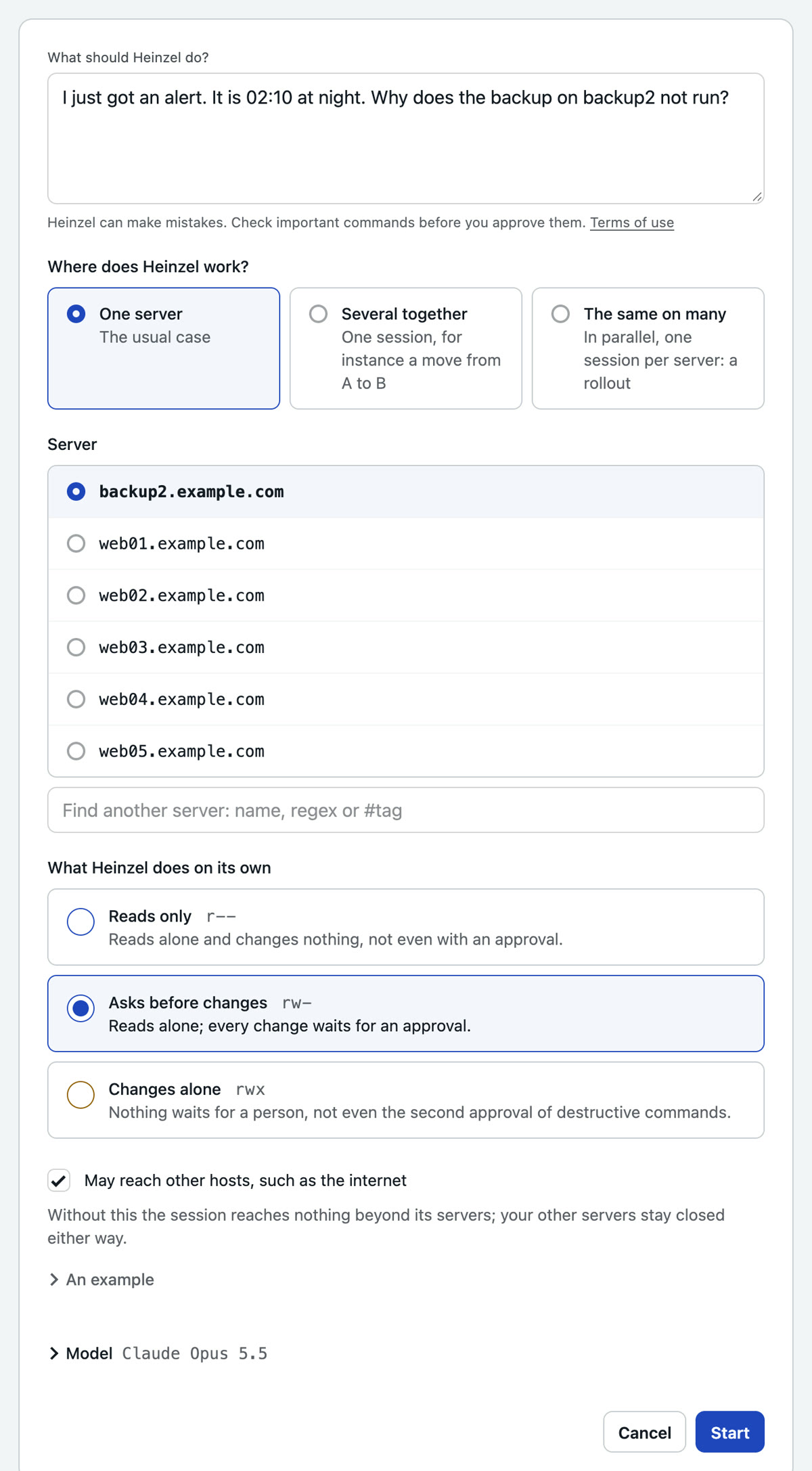
Input: I just got an alert. It is 02:10 at night. Why does the backup on backup2 not run?
No command, no jargon. You pick the server from the list and leave the level at "Asks before changes": Heinzel Pro reads on its own, every change waits for you.
Step 2: Heinzel Pro reads without asking
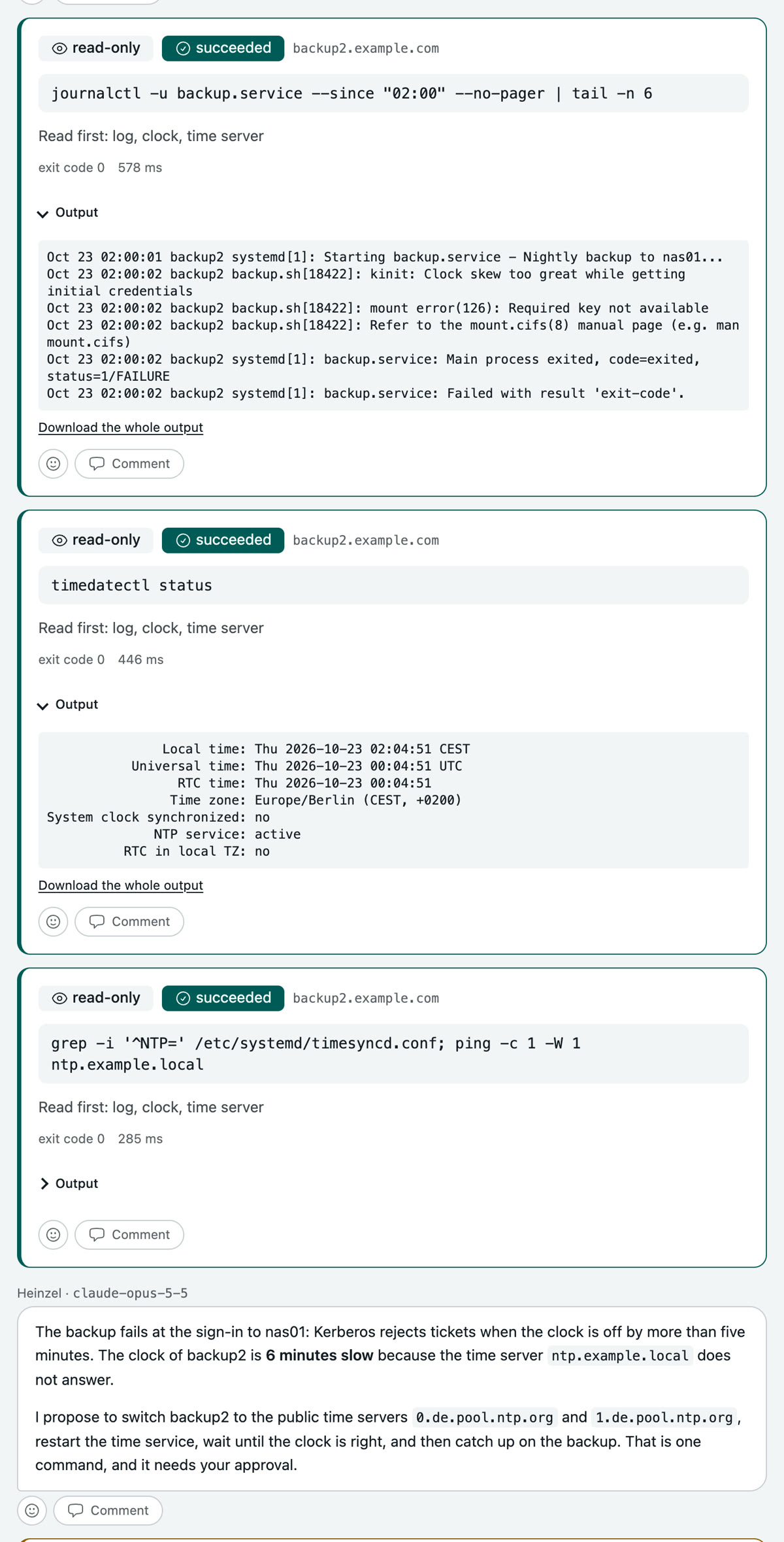
Reading commands run at once. Each carries its classification and stays on the record, with output and duration.
Three commands later the cause is clear: the backup signs in to the file server through Kerberos, and Kerberos refuses when the clock is off by more than five minutes. The clock of backup2 is six minutes slow because the time server no longer answers.
Step 3: Heinzel Pro proposes and waits
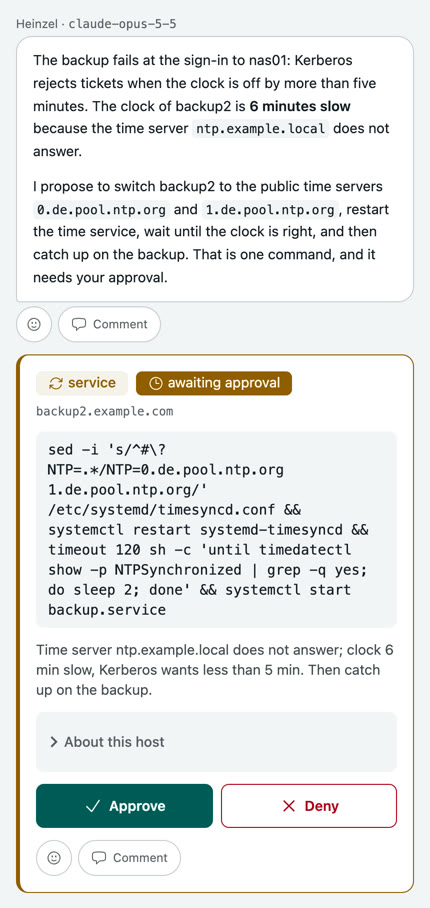
The next command changes something, so it waits. The on-call admin gets a message and sees on the phone what is to run and why: switch the time server, let the clock set itself, catch up on the backup. Two buttons, Approve or Deny.
Step 4: You approve, Heinzel Pro finishes
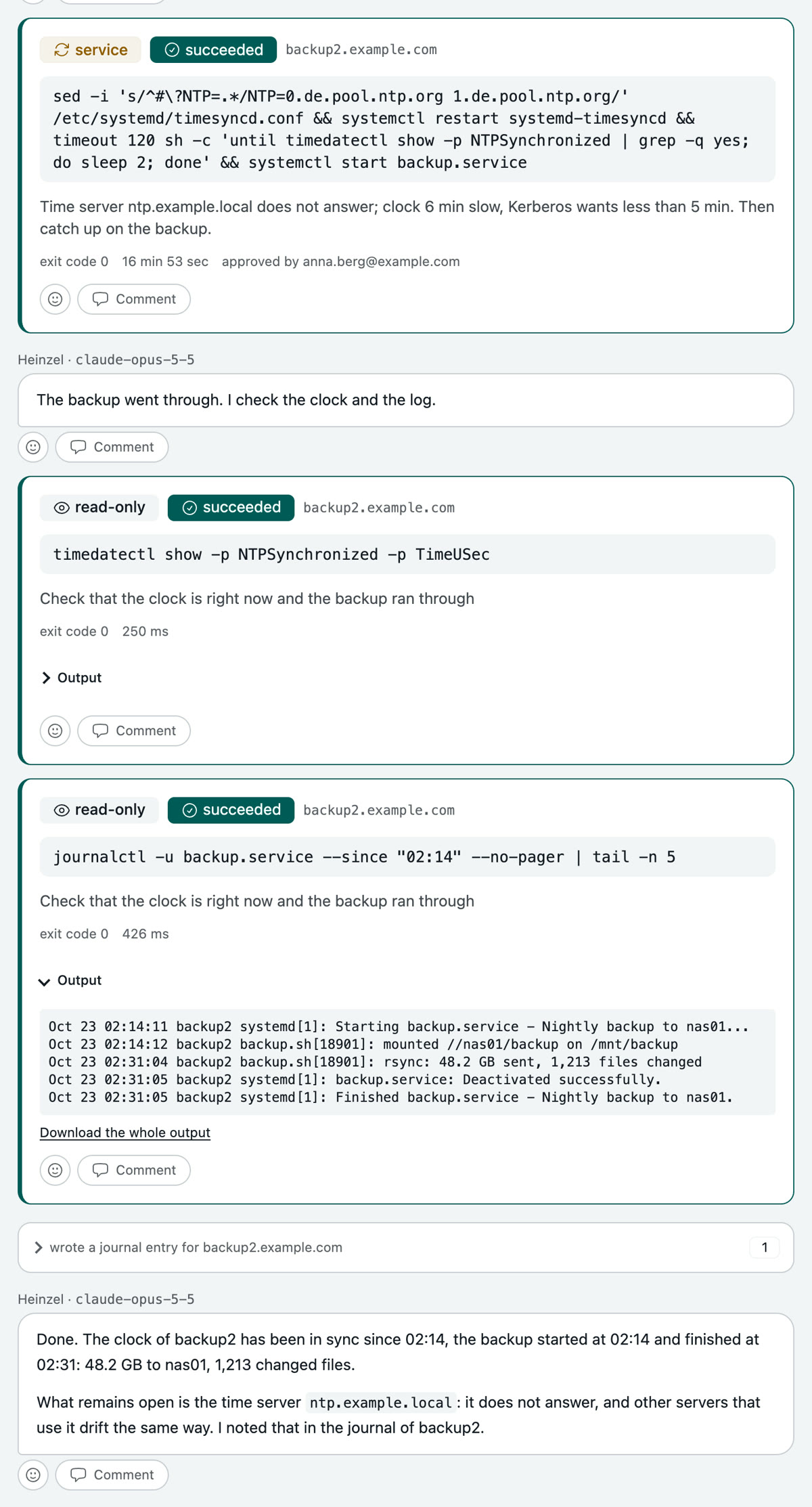
One tap. The command runs for seventeen minutes because the backup hangs on it. Then Heinzel Pro checks clock and log, writes into the server's journal what happened and what stays open, and signs off.
The next session on backup2 reads that journal, whether in a week or in a year.