Updating Ollama every week
| When | Sundays at 04:00, as a schedule |
| Server | ollama01, serves the models for the internal document search |
| Who | Nobody. A mail on Monday. |
| Your part | Set up the schedule once |
| Level | rwx Changes alone, see the three levels |
Problem
On ollama01 Ollama runs and serves the language models for the internal document search of Example Ltd. Ollama comes out in short intervals: fixes, faster answers, new model families. The classic way is a cron job that runs the install script again on Sundays. Only nobody reads its output, and whether the service still answers afterwards and the models still load is noticed only when the search comes back empty on Monday morning.
Wanted: Ollama up to date every week, with a check afterwards and a way back, without anybody getting up on a Sunday.
Solution
A schedule instead of a cron job. Heinzel Pro updates on Sunday at four, checks the service and the models, takes the update back if something does not answer, and writes on Monday what happened.
Step 1: You set up the schedule
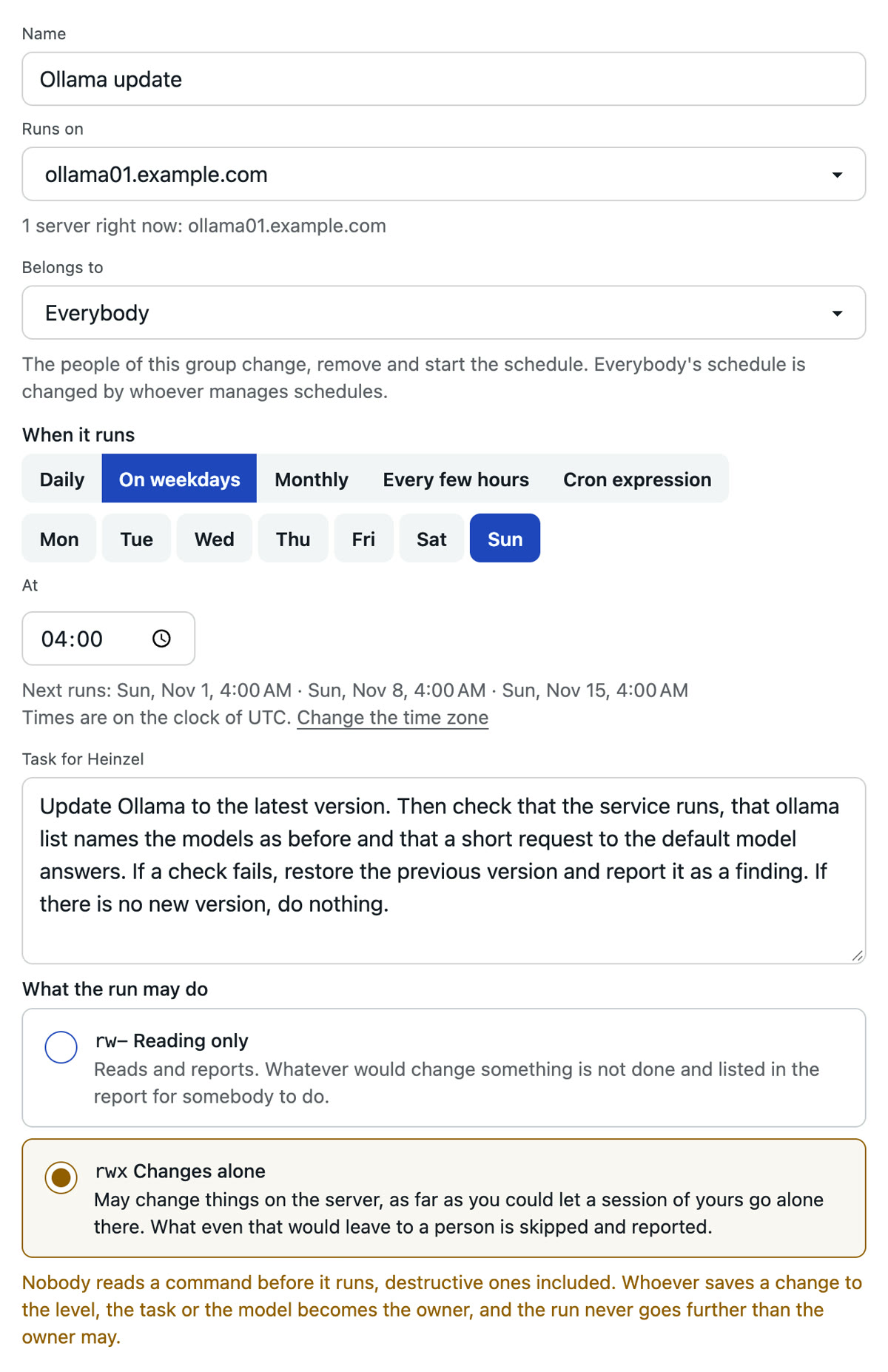
Input: Update Ollama to the latest version. Then check that the service runs, that ollama list names the models as before and that a short request to the default model answers. If a check fails, restore the previous version and report it as a finding. If there is no new version, do nothing.
Name, the server ollama01 as a single server, weekly on Sunday at 04:00, the task in your words, the level "Changes alone" and where the report goes. The checks are in the task, not in a script: what you want checked, you write down.
Step 2: On Sunday at four Heinzel Pro reads
It asks for the installed version and fetches the latest from Ollama's release page. A fetch from the net counts as a write; at "Changes alone" it runs without a question. If both are the same, the run ends here, and Monday's mail is one line long.
Step 3: It updates and checks
Heinzel Pro looks at how Ollama is installed on ollama01, with the script from ollama.com or as a package, and updates the same way. Then the three checks from the task: the service runs, ollama list names the models from before, a request with one sentence gets an answer. If they pass, the new version stands in the server's journal. If one fails, it restores the previous version and opens a finding with what it saw.
Step 4: On Monday you read the mail
Version before and after, the three checks, the duration. Or one line: no new version. A finding stands on the list, and one click turns it into a session, as in the recipe Fixing a finding.