Operations
An installation is its database and its .env. Whoever backs up both can put it up again on another host. Beside that: what to watch, how to get back in when nobody receives mail any more, and what can go wrong day to day.
Backing up
Two things, every night: a dump of the database and a copy of the .env.
# /etc/cron.daily/heinzel-pro-backup
#!/bin/sh
set -eu
dir=/var/backups/heinzel-pro
install -d -m 700 "$dir"
cd /opt/heinzel-pro
docker compose exec -T db pg_dump -U heinzel -Fc heinzel_pro \
  > "$dir/heinzel-pro-$(date +%F).dump"
cp .env "$dir/env-$(date +%F)"
# Then copy both to where the host is not: another host, a bucket, a tape.With your own PostgreSQL the dump belongs in its backup; with the bundled one, the volume pgdata is the database, and the dump is the way, not a copy of the volume while it runs.
Restoring
On a new host, by the installation guide up to and including the compose file, then:
Put the saved
.envat/opt/heinzel-pro/.env. With the sameHEINZEL_VERSIONthe dump was taken at; an upgrade comes afterwards.Start the database only and restore the dump.
$ cd /opt/heinzel-pro
$ sudo docker compose up -d db
$ sudo docker compose exec -T db pg_restore -U heinzel -d heinzel_pro --clean --if-exists \
  < /var/backups/heinzel-pro/heinzel-pro-2026-10-24.dump
Start the application and check.
$ sudo docker compose up -d
$ curl -s http://127.0.0.1:4000/health
Sign in, test a server: if Heinzel signs in, the keys are readable, and the restore is complete.
Point the DNS name at the new host, set up the proxy, and the VPN connections: by way 1 the other sides report back by themselves once the name resolves; by way 2 Heinzel calls the router.
Rotating the vault key
- Generate a new key:
openssl rand -base64 32 - In the
.envmove the old key toHEINZEL_VAULT_KEY_RETIREDand setHEINZEL_VAULT_KEY_RETIRED_IDto the old id (so far1); enter the new one asHEINZEL_VAULT_KEYwithHEINZEL_VAULT_KEY_ID=2. - Restart, then re-encrypt every secret:
sudo docker compose exec app bin/rotate-vault-key - Remove the
RETIREDlines and start once more. Back up the.envanew.
Watching
GET /health returns status, version, rules_version, database and pending_migrations and answers with 200 only when the database is reachable and no migration is pending. A monitor that checks https://heinzel.example.com/health for 200 from outside every minute is enough for the question "is it running". Requests on localhost stay plain even with FORCE_SSL, for the probe from the host.
In the application, Installation, Log says the same and more in the box "Operation": license, mail delivery, emergency stop and the background jobs (waiting, scheduled, running, retrying, given up). A growing counter at "retrying" is a mail server or a webhook that does not accept.

The other way round, Heinzel Pro takes alerts from your monitoring and looks at the affected server, see Alerts from the monitoring.
Logs
sudo docker compose logs app shows the application's log; LOG_LEVEL in the .env turns it from info to debug or warning. What users do is not in it but in the audit log in the database: one chain per tenant, one of its own for the installation. Both export as CSV and verify:
$ sudo docker compose exec app bin/heinzel_pro eval HeinzelPro.Release.verify_auditIf the log is to go to a SIEM, an administrator of the installation gives a tenant an HTTPS endpoint under Settings, Integrations; every event then goes there within a minute as one line of JSON, with position and hash in the chain. Retention is set per tenant under Settings, General; deletion after the period is the only way rows are removed, and is logged itself.
Locked out
If no mail arrives any more, or nobody knows the only administrator's password, an operator with shell access on the host makes a sign-in link for any account:
$ sudo docker compose exec app bin/login-link admin@example.comThe link works once and for 15 minutes. Then set up password or second factor anew under Account. If somebody lost the device with their passkey or authenticator app, an administrator of the installation resets that account's passkeys and second factor under Installation, Accounts or sends a sign-in link. There a person can also be put into a tenant whose only administrator is locked out.
Changing mail later
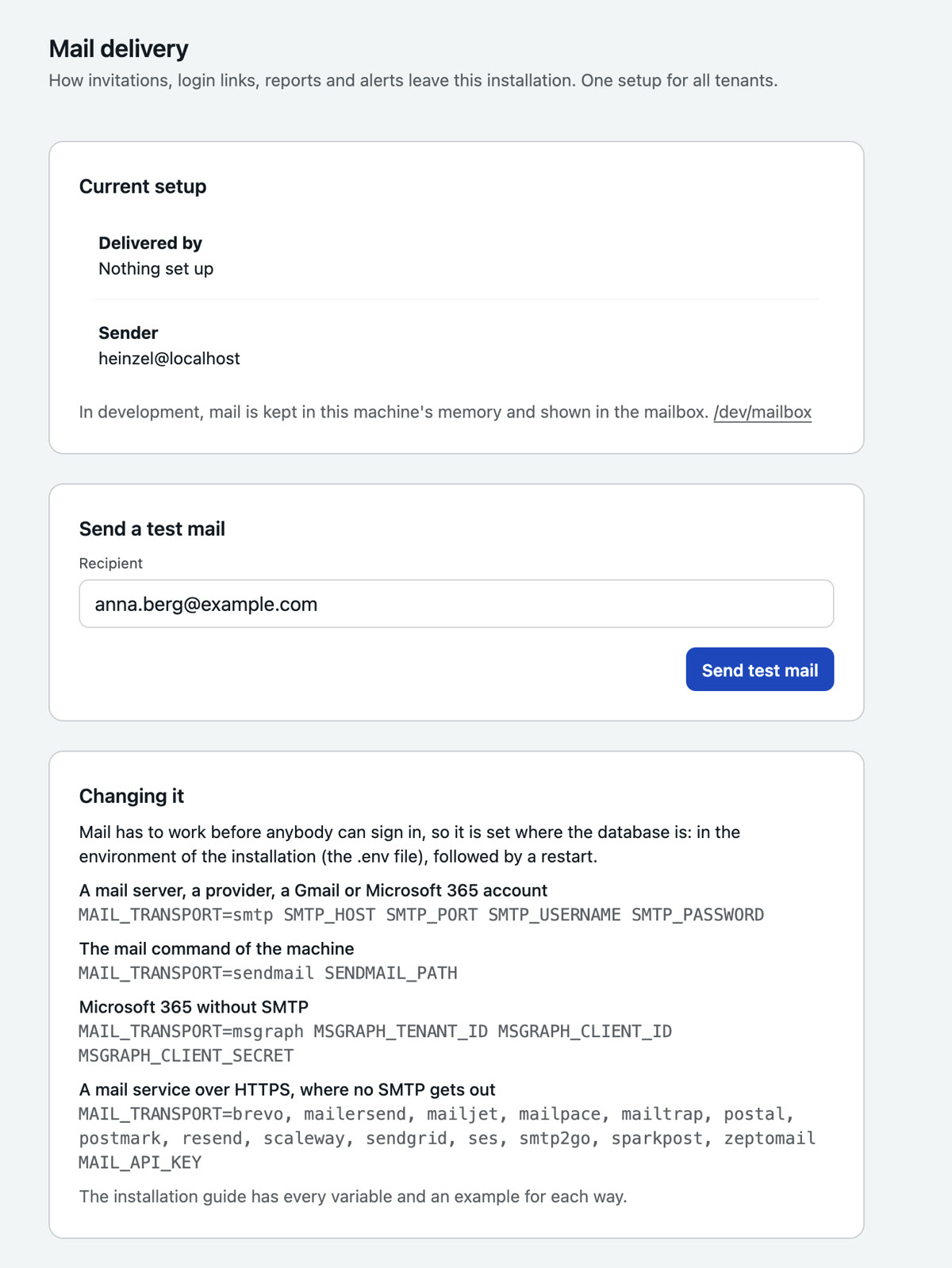
Mail is set up in the .env, because it has to work before anybody can sign in. A new way means: change the lines, sudo docker compose up -d, then a test mail under Installation, Mail delivery. The page shows what currently applies.
The emergency stop
A tenant's administrators have it under Settings, Policy, the installation's under Installation, Tenants for all tenants at once. It stops every session, takes back every waiting command, aborts running commands on the hosts, and from then on nothing starts until it is lifted, not after a restart either. It asks for a reason, stands in the audit log, and a banner on every page shows that it is on.
What leaves the installation
An installation opens connections to these places and to no other. There is no telemetry, no usage figures and no license check to the outside; a test in the product's test suite fails as soon as the code opens a connection not listed here.
- Model providers: the address of every provider you create, preset
api.anthropic.comorapi.openai.com, or a server inside your own network. - Your servers: SSH to the hosts you add, on the port you give.
- VPN connections: WireGuard to the peer from the block you pasted; a Tailscale connection talks to Tailscale's coordination server and relays or to your Headscale.
- Mail: the mail server or mail service you set up.
- Endpoints you enter: the team's webhook, the collector for the audit log, the monitoring that takes annotations.
- Single sign-on: the OpenID Connect issuer you set up.
- Rule set:
api.github.comandgithub.com, hourly for the check for a newer rule set and when updating, without an account and without anything about the installation. Whoever switches the automatic update off and uploads the archive never opens this connection.
Docker itself fetches the image from ghcr.io when you pull it.
Troubleshooting day to day
| What you see | Why | What to do |
|---|---|---|
| A command stands at "interrupted, result unknown" | Heinzel Pro was restarted while the command ran in the SSH channel: a reading command, or a host without a home directory for the job. | Have the command proposed again in the session; a command that changes something runs as a job and is fetched. Announce the next restart first. |
| A server is marked red: host key changed | The host was reinstalled, or somebody stands in between. | Ask why first. Then "Trust new host key" on the server's page. |
| Sessions start, but every model call fails | The provider's key has expired, the quota is used up, or the provider retired the model. | Settings, Model providers: Test. A model on its way out is marked there, with successor and one click to switch. |
| No new sessions, a banner names the license | The trial or the key has expired, the grace period is over. | Paste a new key under Installation, Settings, License. Everything recorded stays readable. |
| Reports and invitations stop; "retrying" counts up | The mail server does not accept: password changed, sender rejected, certificate expired. | Installation, Mail delivery, test mail; the log names the server's answer. |
| A VPN connection is only back minutes after a restart | Heinzel calls the other side where it last was; if its address has changed, it has to report itself. | Wait. If it takes longer, sudo wg show heinzel on the other side. |
| After an upgrade an access that existed is missing | A right became a named right in some version, one an administrator had unticked. | Users, Rights: the line to "yes" or "as it stands". The version's changelog names such steps. |
| The host's disk fills up | Old images, or the database grows with audit log and sessions. | docker image ls and remove old versions; set retention under Settings, General. |
For everything else: support@heinzel-pro.de with the line from the log and the version from /health.