Rights and tenants
Who may go how far on which server, what a tenant holds back, and how to check afterwards what happened. One rule carries most of it, and it fits in a sentence.
Two roles, and rights one by one
A member has what the letters on every server give, and beside that reads the knowledge and the audit log. An administrator has everything, users, settings and every server included; a server's ceiling still limits what Heinzel does there. Under Users you invite people by mail address; they get a sign-in link and accept the invitation after signing in.
"Rights" on a person shows every right as a sentence with three answers: as it stands, yes, no. So somebody who works on servers by their letters becomes somebody who only looks ("everything, but run nothing"), or a member gets a single named right, such as the second approval where the matrix asks for two people. "No" wins over "yes". Rights to look are free; every right to act takes a seat of the license.
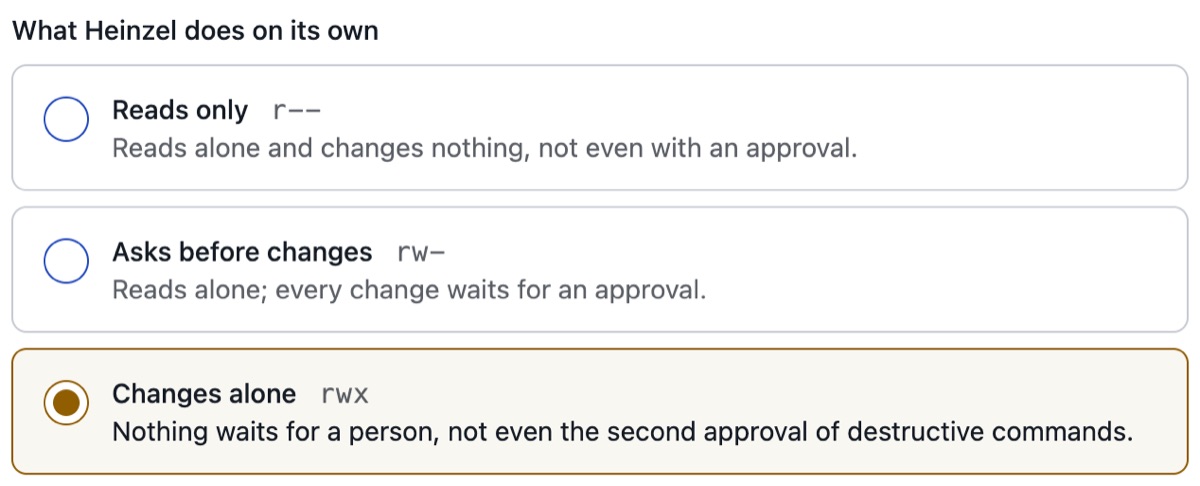
Three letters
| Letters | Opens |
|---|---|
--- | Nothing. On a server: blocked for everybody; whoever saw it keeps seeing it, the way ls shows a file nobody may open. |
r-- | Sees: the server in lists and in the search, its notes, the journal, findings and the sessions there, to read. |
rw- | Works: own sessions, approvals, looking after the server, schedules there. Heinzel reads alone and changes nothing without approval. |
rwx | Heinzel changes alone: what the tenant's matrix runs at once on this level, by default everything but identities and blocked commands, without anybody reading a command first. |
The rule
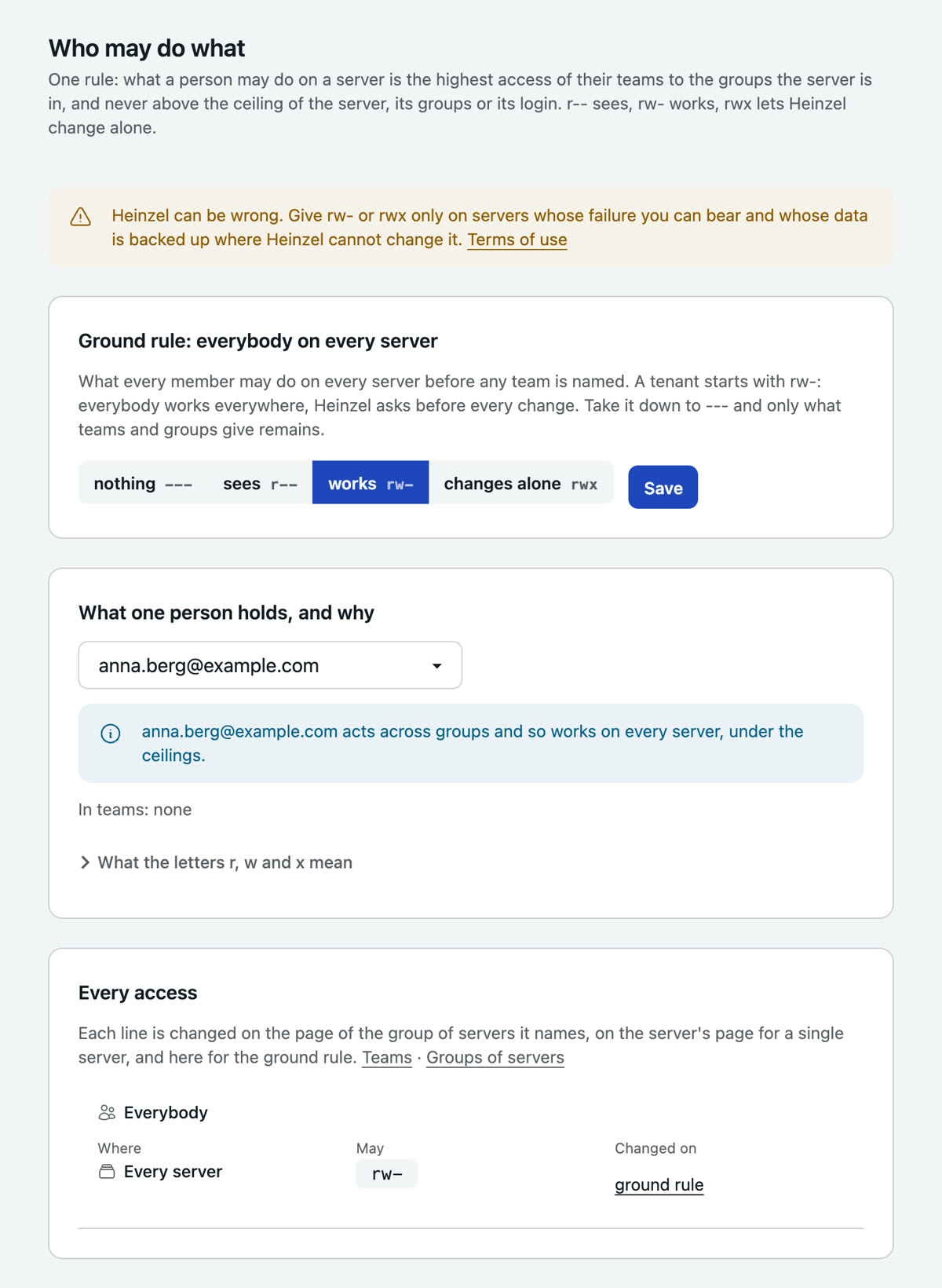
What a person may do on a server is the highest access of their teams to the groups the server is in, and never more than a ceiling. Four words carry it:
- A team is a set of people (Groups, Teams). Every person is also a team of their own, which Heinzel creates.
- A server group is a set of servers (Groups, Server groups). Every server is also a group of its own. A server is in a group because somebody put it there, not through tags.
- An access is one line: a team, a server group, letters. The base rule is the line "everybody on every server" a new tenant starts with:
rw-. - A ceiling is the most anybody may do, administrators included: on a server, a server group, a login, and the installation's for the tenant. The lowest holds.
An example
Example Ltd has two teams and three server groups:
| Team | Server group | Access |
|---|---|---|
| Everybody | Every server | r-- (the base rule, lowered) |
| On-call | Web | rw- |
| On-call | Backup | rw- |
| Database | Databases | rwx |
Plus two ceilings: db02 carries rw-, because a customer looks after it too, and the login root on all web servers carries r--. From that follows:
- Jonas from on-call works on
web05asdeploywith an approval before every change. Asroothe only reads there. Ondb01he watches, and in a session there he can approve nothing. - Mira from the database team lets Heinzel change alone on
db01. Ondb02every change still waits for her: the ceiling. - A new server
db03belongs to no group until somebody puts it in one. Until then everybody only sees it, and whoever added it works on it.
The page Who may do what (Administration, Groups) works that out for every person, server by server, with the path: through which team to which group, and which ceiling held.
Maintenance windows
A server group can carry a maintenance window: weekdays, from and until, in the tenant's time zone. Outside the window every change on the group's servers waits as it would at rw- (for one person, for two where the matrix asks for two there), on rwx too, and a scheduled run skips what it would have changed. Whoever approves outside it overrides that, and the audit log shows it.
What the tenant holds back
Beside the level a tenant has five tools. None lifts the block list or opens a read-only server.
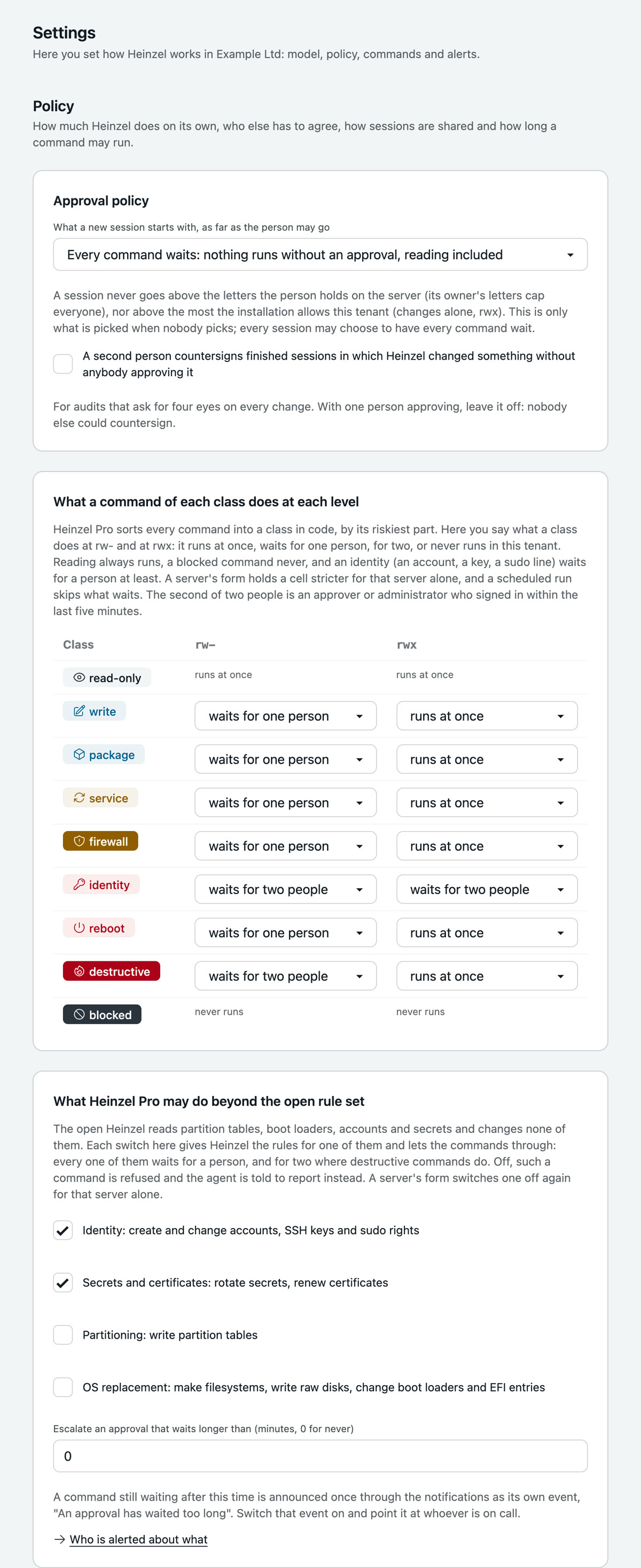
- The matrix (Settings, Policy): one row per risk class (write, package, service, firewall, identity, reboot, irreversible), one column per level, and in each cell "runs at once", "waits for one person", "waits for two people" or "never runs". By default everything but reading waits for one person at
rw-, irreversible commands and identities for two; atrwxeverything runs at once and identities wait for two. Three cells nobody moves: reading runs, a blocked command never runs, an identity (an account, a key, a sudo line) waits for a person at least. A server's form holds a cell stricter for that server, never milder. - Emergency stop (Settings, Policy, and a banner on every page): no session starts, no command runs, no schedule fires, and what runs is aborted. It needs a reason; an administrator lifts it. The installation has one for all tenants.
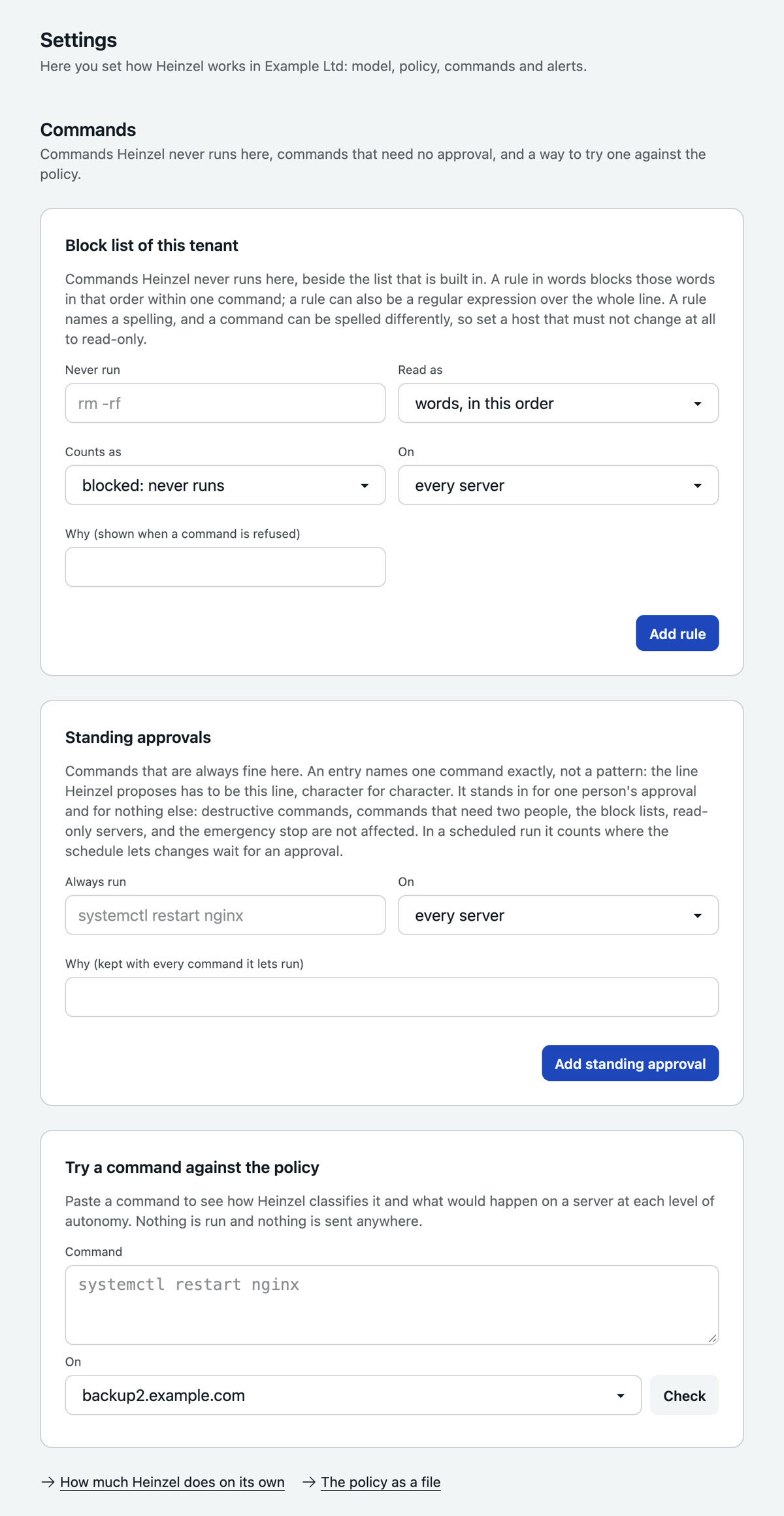
- Block list (Settings, Commands): commands that never run here, on all servers or on one, in words ("these words in this order") or as a regular expression. Checked at the proposal and once more before running. Instead of blocking a command, a rule can hold it to a higher class ("counts as":
rmunder/srv/dbas irreversible); the matrix then decides as it does for that class. No rule lowers a class. - Standing approvals (Settings, Commands): exact command lines that are always fine. A proposal that matches one character for character runs without a person and is logged so. Irreversible commands are never covered.
- A raised level for a time: an administrator gives a server
rwxfor at most four hours, for a migration that is to run through.
| Example | Entry | Effect |
|---|---|---|
| Block list, in words | rm -rf /var/lib/postgresql on every server | Every command that contains these words in this order is refused, with the reason you give. |
| Block list, regular expression | ^.*\bshutdown\b.*$ on db01 | No shutting down the primary database, on any level. |
| Standing approval | systemctl restart php8.2-fpm on the group Web | Runs without approval, on rw- too. systemctl restart php8.2-fpm.service is a different line and asks. |
Check a command against the policy (Settings, Commands) says what all that would decide for a command on a server, without running it. Paste a command, choose the server, press Check: the class, and what would happen on every level.
Capabilities
The open rule set Heinzel reads partition tables, boot loaders, user accounts and secrets and changes none of them. Heinzel Pro does, where the tenant switches the capability on on the policy page: Identity (accounts, keys, sudo rights; on) and Secrets and certificates (on) from the start, Partitioning and OS replacement off. An identity command waits for a person at least on every level and never runs unattended; what partitioning and OS replacement do is irreversible and follows that row of the matrix. The server form switches a capability off again for one server, so that a database host is never partitioned.
The policy as a file
Under Settings, Policy as a file all of this stands as JSON with a SHA-256 over its content: to compare two tenants, to keep in the repository, to show an auditor. A pasted file is compared with what is set; Apply makes the policy equal to the file and records the hash.
Control after the fact
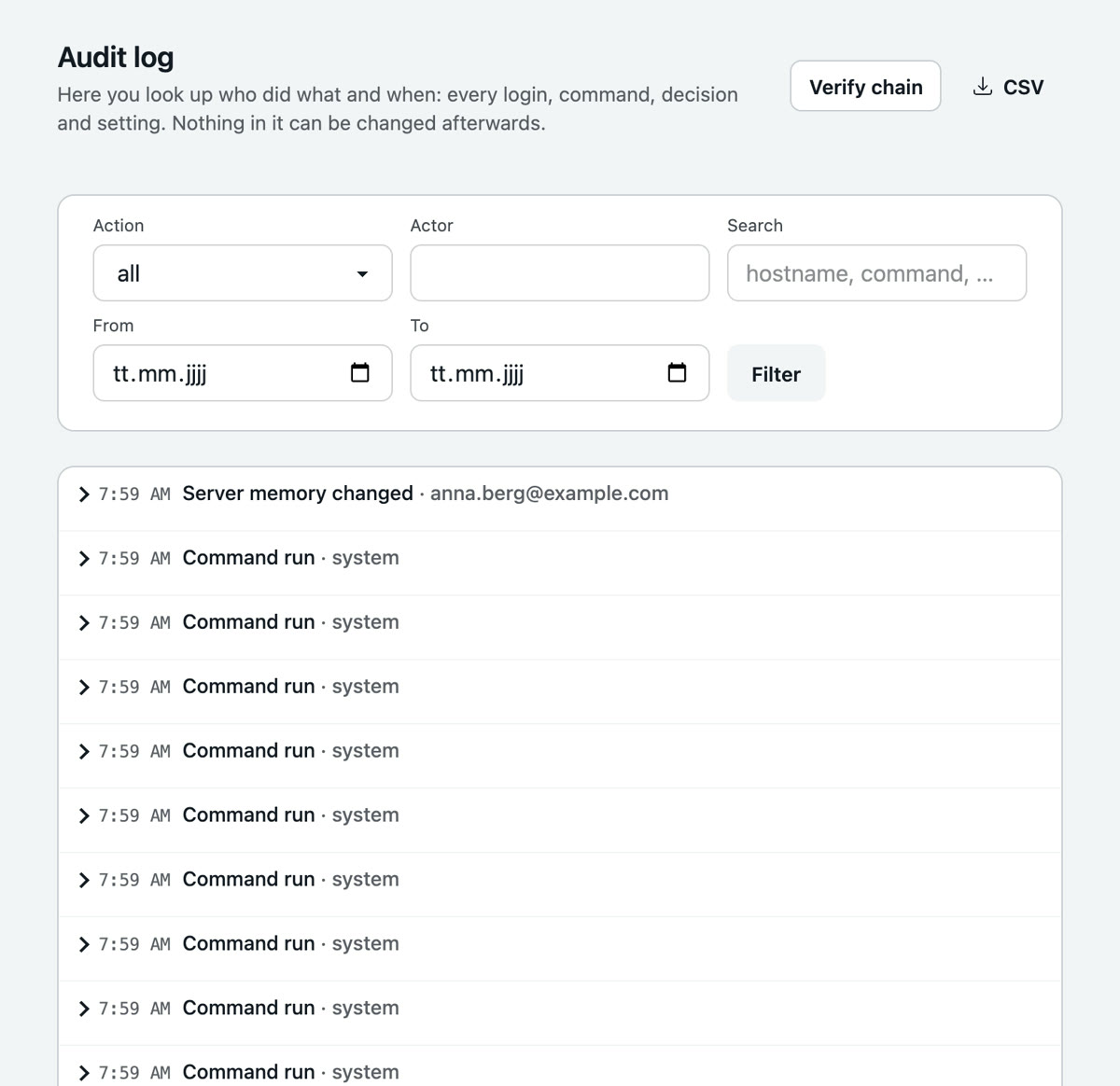
- Audit log (navigation): every sign-in, every command, every decision, every setting, with actor and time. Append-only, SHA-256 chained; "Verify chain" detects gaps, CSV exports. None of it can be changed afterwards.
- Countersigning (Sessions, Review): a finished session in which a changing command ran without approval waits for the signature of somebody who was not involved. Off in a new tenant; switch it on under Settings, Policy if an audit asks for four eyes on every change.
- Access review (Users): who asks and approves, who has full autonomy, who has not signed in for ninety days, who has no second factor. An administrator attests it; the page reminds after a quarter.
- Controls (Administration): the product's safeguards mapped to ISO/IEC 27001 Annex A, SOC 2 and BSI IT-Grundschutz, with the state in the tenant and the pointer to the evidence. A mapping for the conversation with an auditor, not a certificate.
Tenants
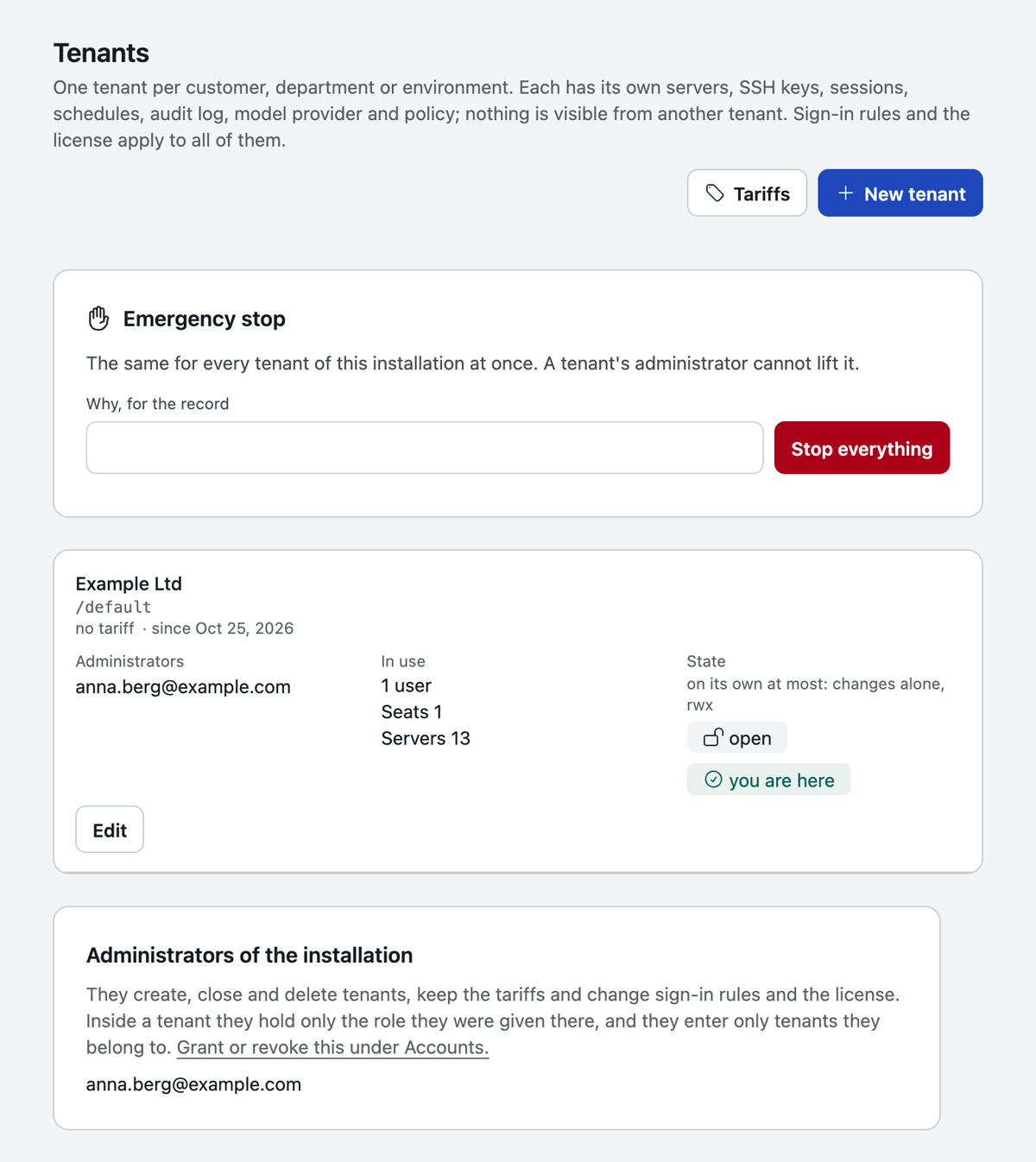
A tenant is a customer, a department or an environment: its own servers, keys, sessions, schedules, its own audit log, its own model provider, its own policies. None of it is visible from another tenant, neither to people nor to the agent. An installation starts with one tenant and needs no second; with only one, the interface mentions tenants nowhere.
- Accounts belong to the installation, roles to a tenant. A person has one account and, in every tenant they belong to, a role. Whoever has several switches at the top of the navigation.
- One tenant per tab. The address names it (
/acme/servers), so several tabs work side by side in several tenants, and a half-filled form never lands in the wrong one. - Administrators of the installation create tenants, close and delete them, keep the tariffs and change what spans all tenants: sign-in rules, single sign-on, the license, the rule set, mail delivery. They enter a tenant only if they are a member there, with the role they have there.
- A new tenant names the mail address of its first administrator; that person is invited and then adds their people, servers and model provider themselves. Whoever created the tenant stays outside.
- Tariffs are templates for a tenant's limits: seats, servers, and how far Heinzel may go alone (the ceiling). Seats count per account for the whole installation: whoever works in three tenants takes one.
- A closed tenant keeps its data, lets nobody in and rests. Deleting works only on a closed one and asks you to type its address; after that everything in it is gone, its audit log included.
Sign-in and single sign-on
Under Installation, Settings, Sign-in: password sign-in on or off, mandatory 2FA, sign-out after inactivity, and single sign-on with any OpenID Connect issuer (Entra ID, Keycloak, Google Workspace, Authentik). The redirect URI you enter there is https://heinzel.example.com/auth/oidc/callback. New SSO users get the default role; a domain list limits who may sign in. With several tenants a new SSO account joins none and waits for an administrator.