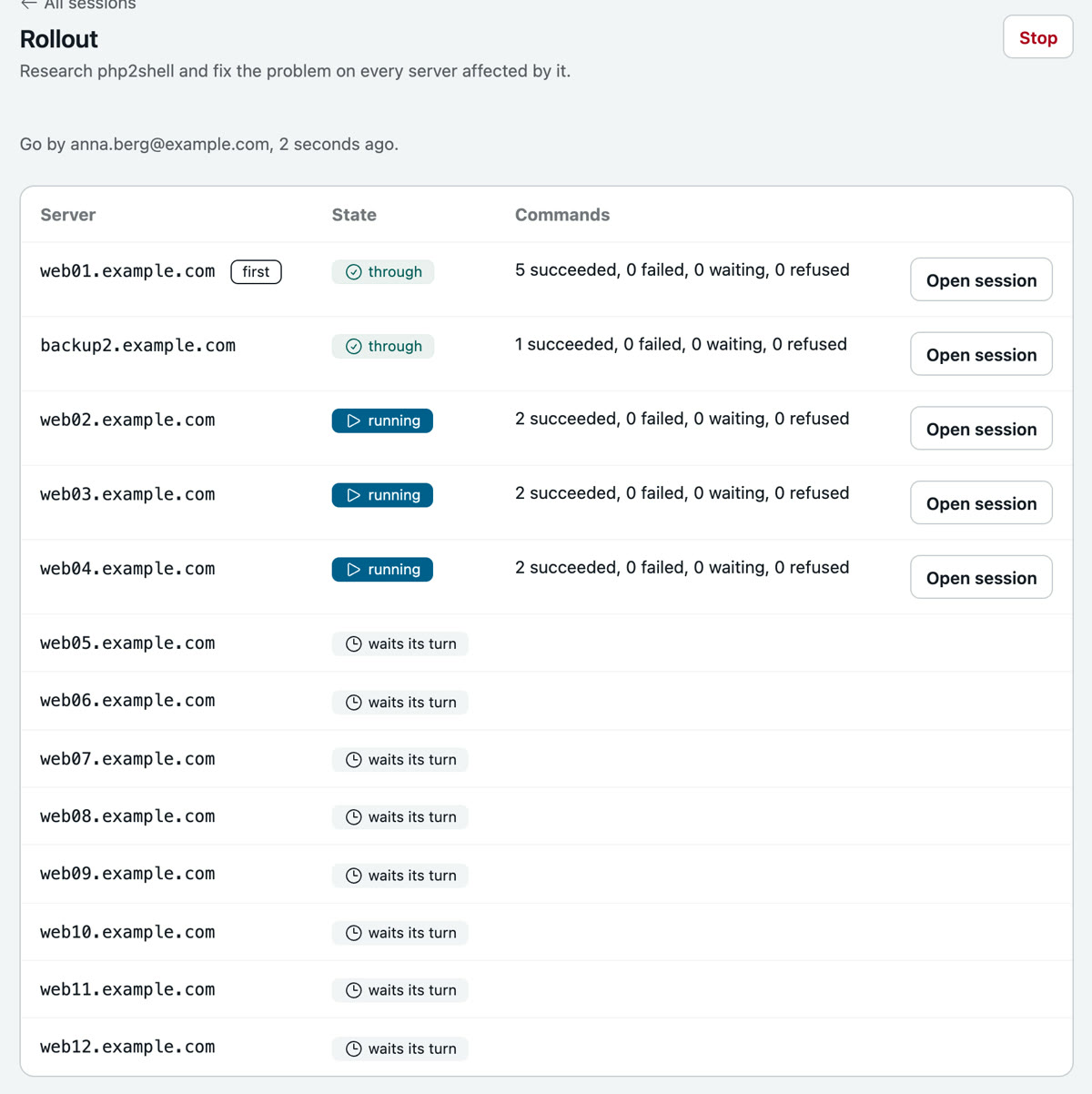
php2shell on 13 servers
| Who | An admin, from a phone |
| Servers | All 13 of Example Ltd, web01 first |
| Your part | One sentence, two taps on Approve, one go |
| Level | rw- Asks before changes, see the three levels |
Problem
In the afternoon php.net publishes two holes in PHP, together called php2shell. Every web application is affected, the fix is ready. Example Ltd has 13 servers, not all of them run PHP, and the admin is on the road. Checking and patching every server by hand costs the evening, and whoever forgets one notices too late.
Wanted: every affected server closed today, one first as a trial, then the others, from a phone.
Solution
One sentence from a phone, and Heinzel Pro researches, checks every server and installs the fix: on one first, on all of them after your go.
Step 1: You describe the task, for every server
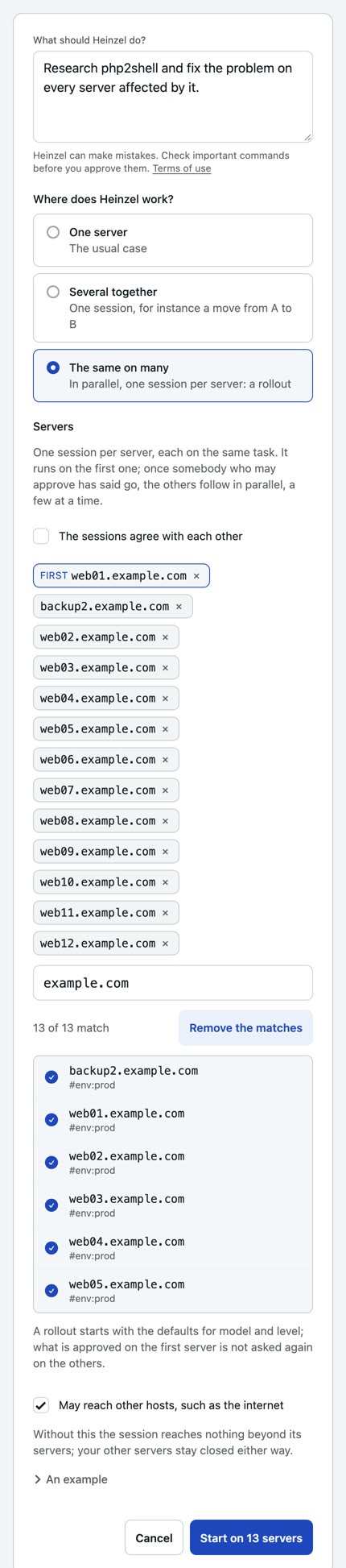
Input: Research php2shell and fix the problem on every server affected by it.
One sentence, the way you would write it to a colleague. "The same on many" makes it a rollout: one session per server, on web01 first, the others after your go. The level stays at "Asks before changes".
Step 2: It researches, and asks even for that
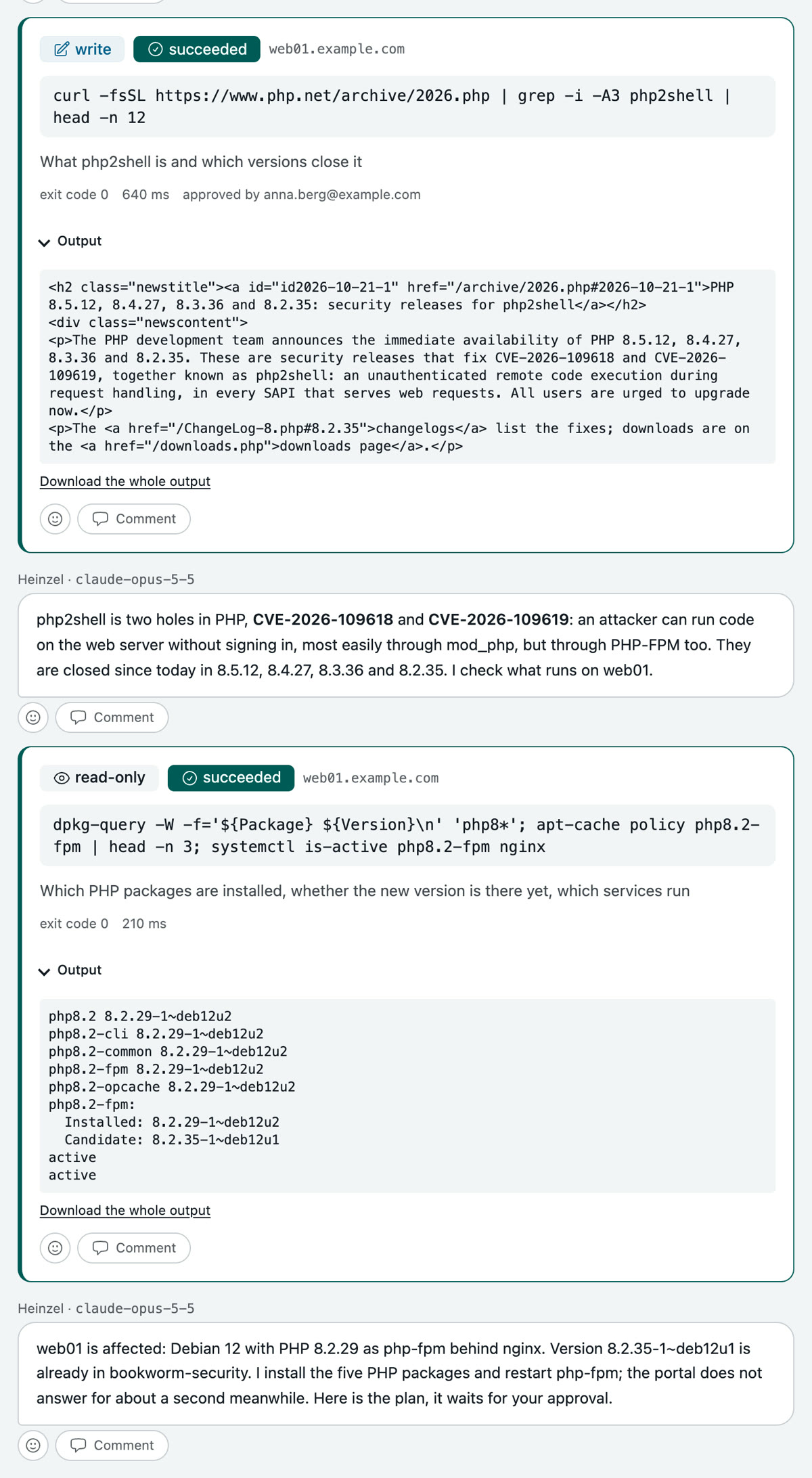
Heinzel Pro wants to read the announcement on php.net. A fetch from the net can send data too, so it waits for your tap. Then it reads on its own: which PHP packages are on web01, whether the new version is in the mirror yet, which services run.
Then it is clear: web01 is affected, PHP 8.2.29 as php-fpm behind nginx, and the fix is ready.
Step 3: You read the plan and approve it
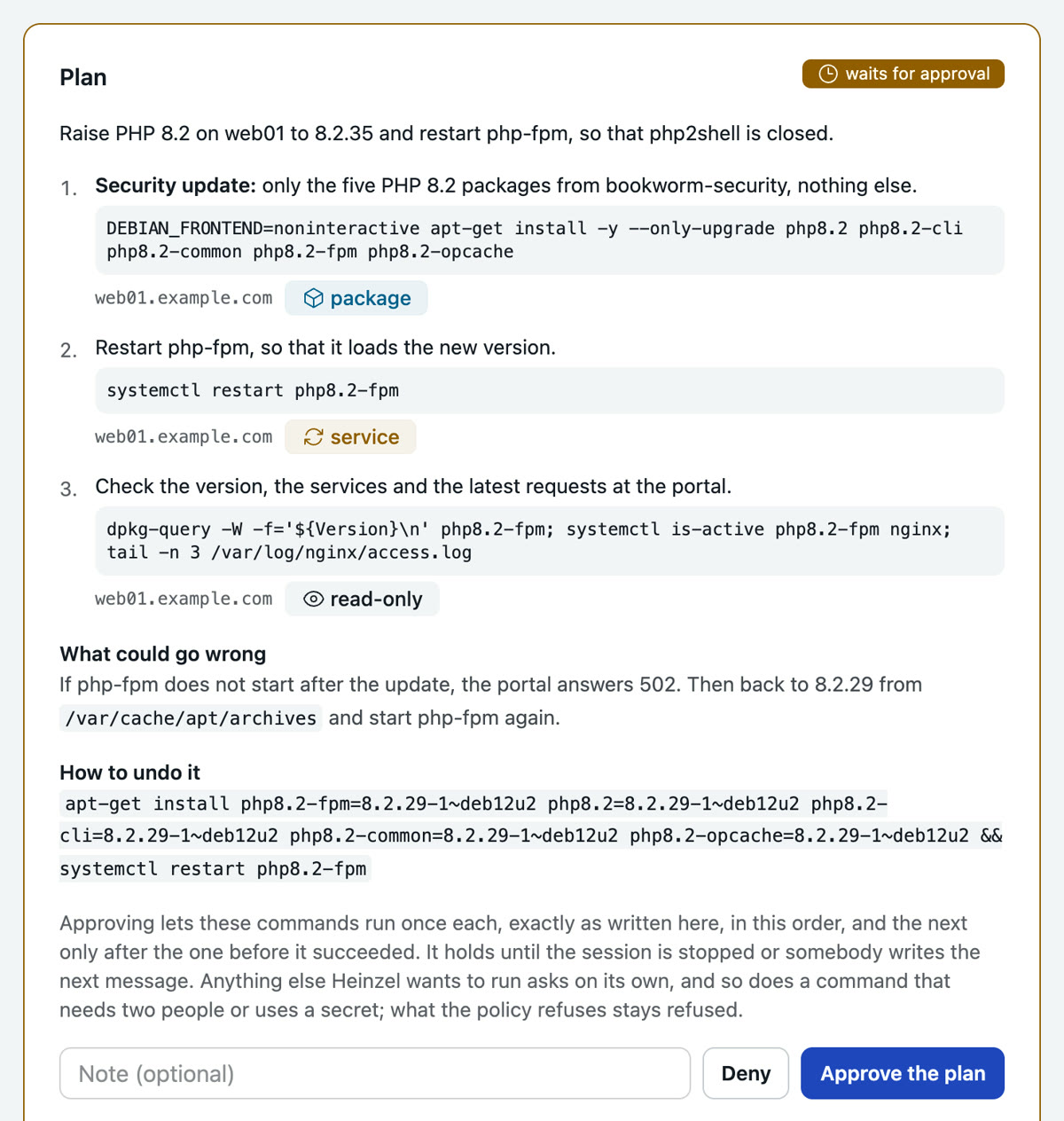
Three steps, each with its command, server and classification: package, service, read-only. With them, what could go wrong and how to undo it. One tap approves all three; they run in this order, each only once the one before succeeded.
Step 4: After your go the other twelve follow
web01 is closed after 24 seconds, the portal answers 200. You say go, and the other servers get a session each, four at a time. What was approved on web01 and succeeded runs there without asking. backup2 has no PHP: its session says so and changes nothing.