Examples
Four cases from the daily work of Example Ltd, step by step, with screens of the application. Each shows what a person enters and what Heinzel Pro does in response: once entirely on its own, three times with an approval.
| Example | Level | In one sentence |
|---|---|---|
| Backup alert at 02:10 | rw- Asks before changes | The on-call admin types one sentence. Heinzel Pro finds the cause, proposes a fix and waits for a tap on the phone. |
| Security updates every night | rwx Changes alone | One schedule, twelve servers, nobody watching. A mail in the morning, and what Heinzel Pro was not allowed to decide alone stands as a finding. |
| Fixing a finding | rw- Asks before changes | One click turns the night's finding into a session. Heinzel Pro reads up, proposes two ways and closes the finding. |
| php2shell on 13 servers | rw- Asks before changes | Two holes in PHP, one sentence from a phone. Heinzel Pro researches, checks every server and installs the fix: on one first, then on all. |
Every example shows its level. Reading commands run at once at every level; whatever changes something waits for a person at rw- and runs alone at rwx. What the levels mean exactly is under Sessions.
Backup alert at 02:10
The nightly backup failed and the on-call admin is woken up. Instead of signing in and searching, they type one sentence into the phone. Heinzel Pro reads, finds the cause and waits for a tap before it repairs anything.
| Task | The backup on backup2 failed |
| Who | The on-call admin, from the phone |
| Server | backup2, copies to a file server at night |
| Your part | One sentence and a tap on Approve |
| Level | rw- Asks before changes |
Step 1: You describe the problem
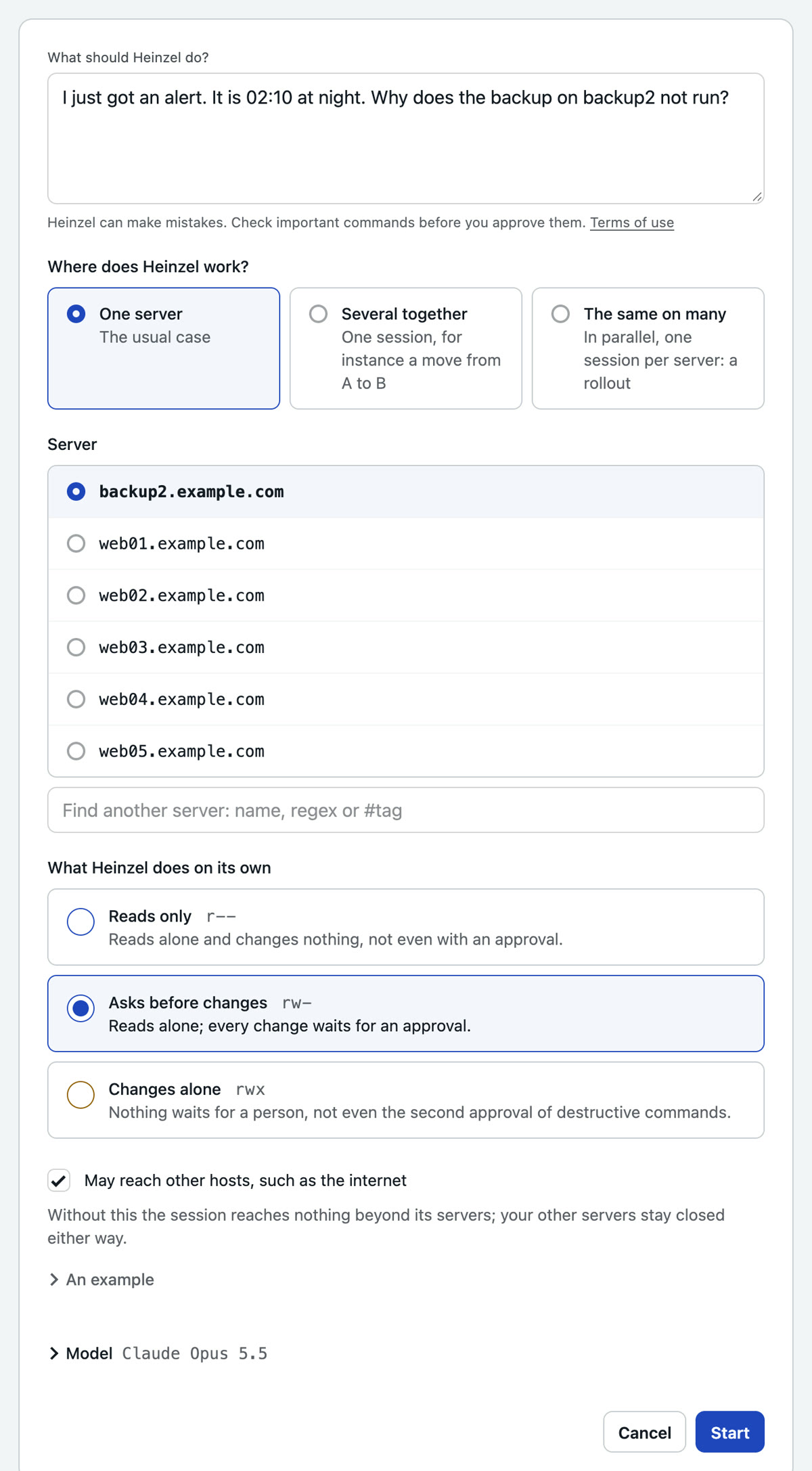
Input: I just got an alert. It is 02:10 at night. Why does the backup on backup2 not run?
No command, no jargon. You pick the server from the list and leave the level at "Asks before changes": Heinzel Pro reads on its own, every change waits for you.
Step 2: Heinzel Pro reads without asking
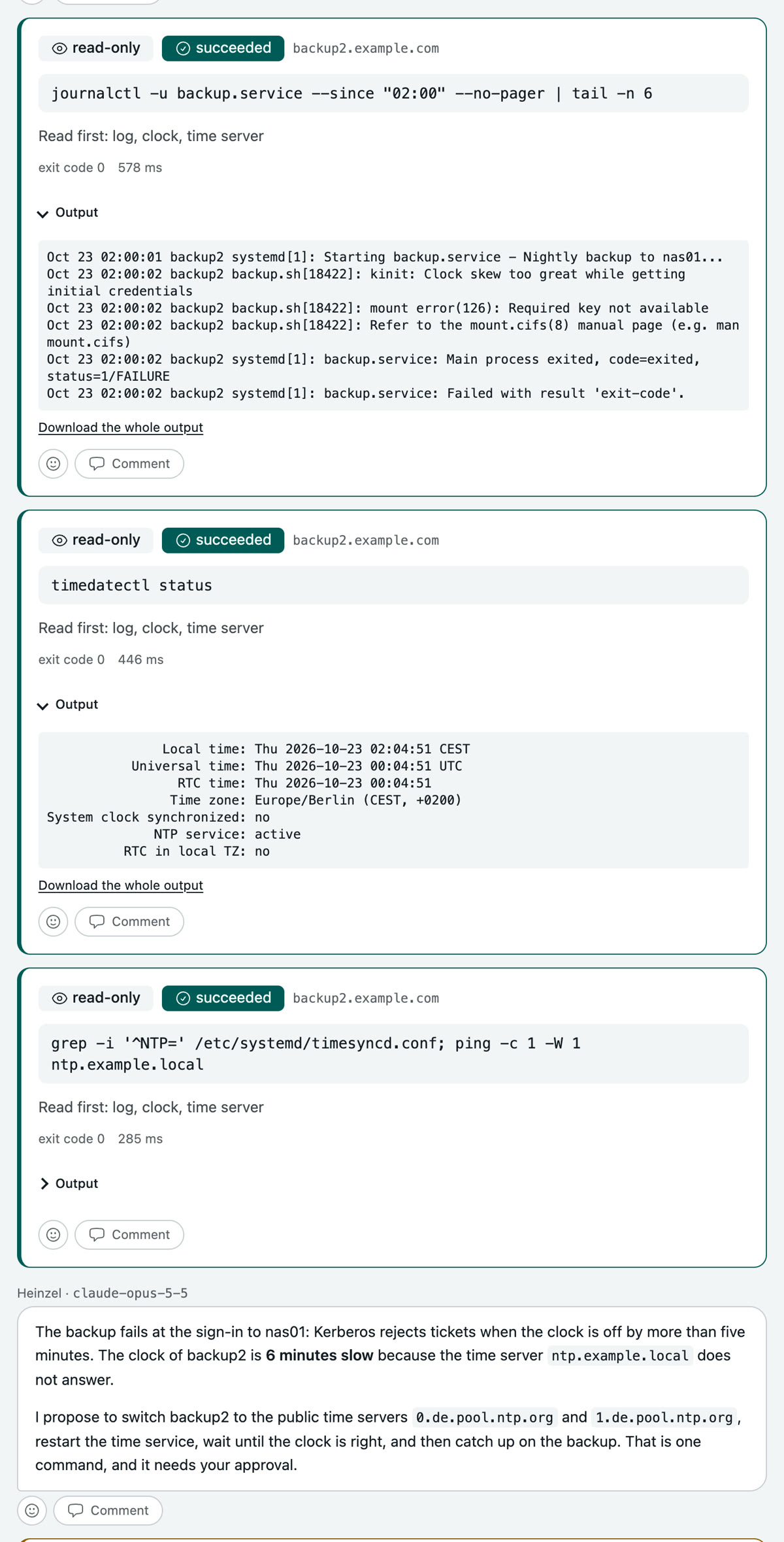
Reading commands run at once. Each carries its classification and stays on the record, with output and duration.
Three commands later the cause is clear: the backup signs in to the file server through Kerberos, and Kerberos refuses when the clock is off by more than five minutes. The clock of backup2 is six minutes slow because the time server no longer answers.
Step 3: Heinzel Pro proposes and waits
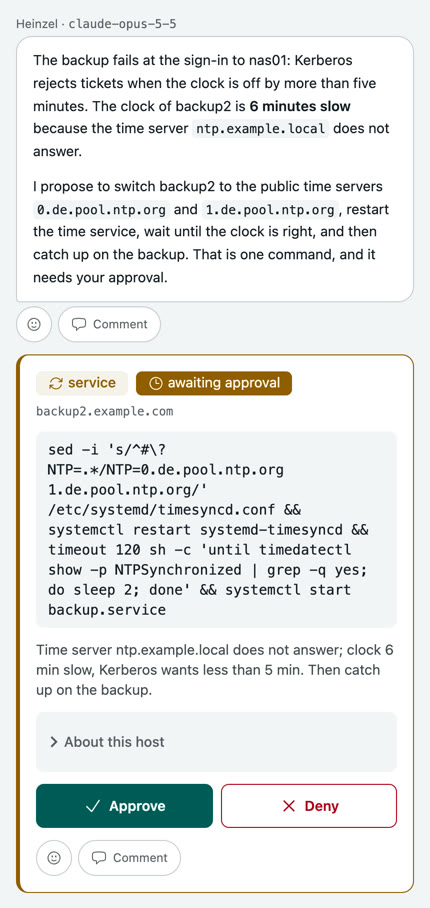
The next command changes something, so it waits. The on-call admin gets a message and sees on the phone what is to run and why: switch the time server, let the clock set itself, catch up on the backup. Two buttons, Approve or Deny.
Step 4: You approve, Heinzel Pro finishes
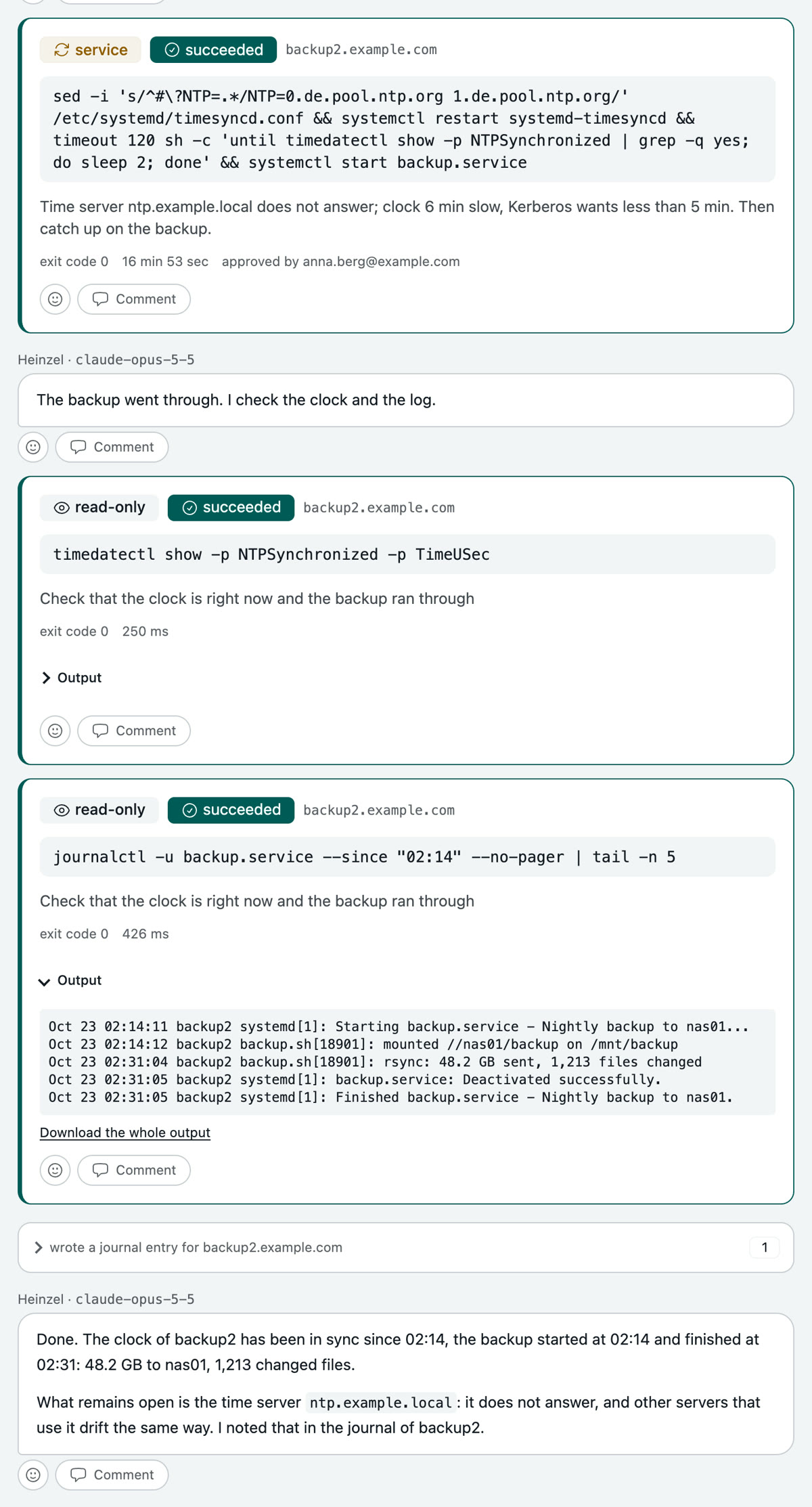
One tap. The command runs for seventeen minutes because the backup hangs on it. Then Heinzel Pro checks clock and log, writes into the server's journal what happened and what stays open, and signs off.
The next session on backup2 reads that journal, whether in a week or in a year.
Security updates every night
Twelve web servers, every night at three. Nobody watches, nobody is woken up. What Heinzel Pro may not decide alone it leaves alone and reports; in the morning there is a mail.
| Task | Security updates on twelve web servers |
| When | Every night at 03:00, as a schedule |
| Who | Nobody. A mail in the morning. |
| Your part | Set up the schedule once |
| Level | rwx Changes alone |
Step 1: You set up the schedule
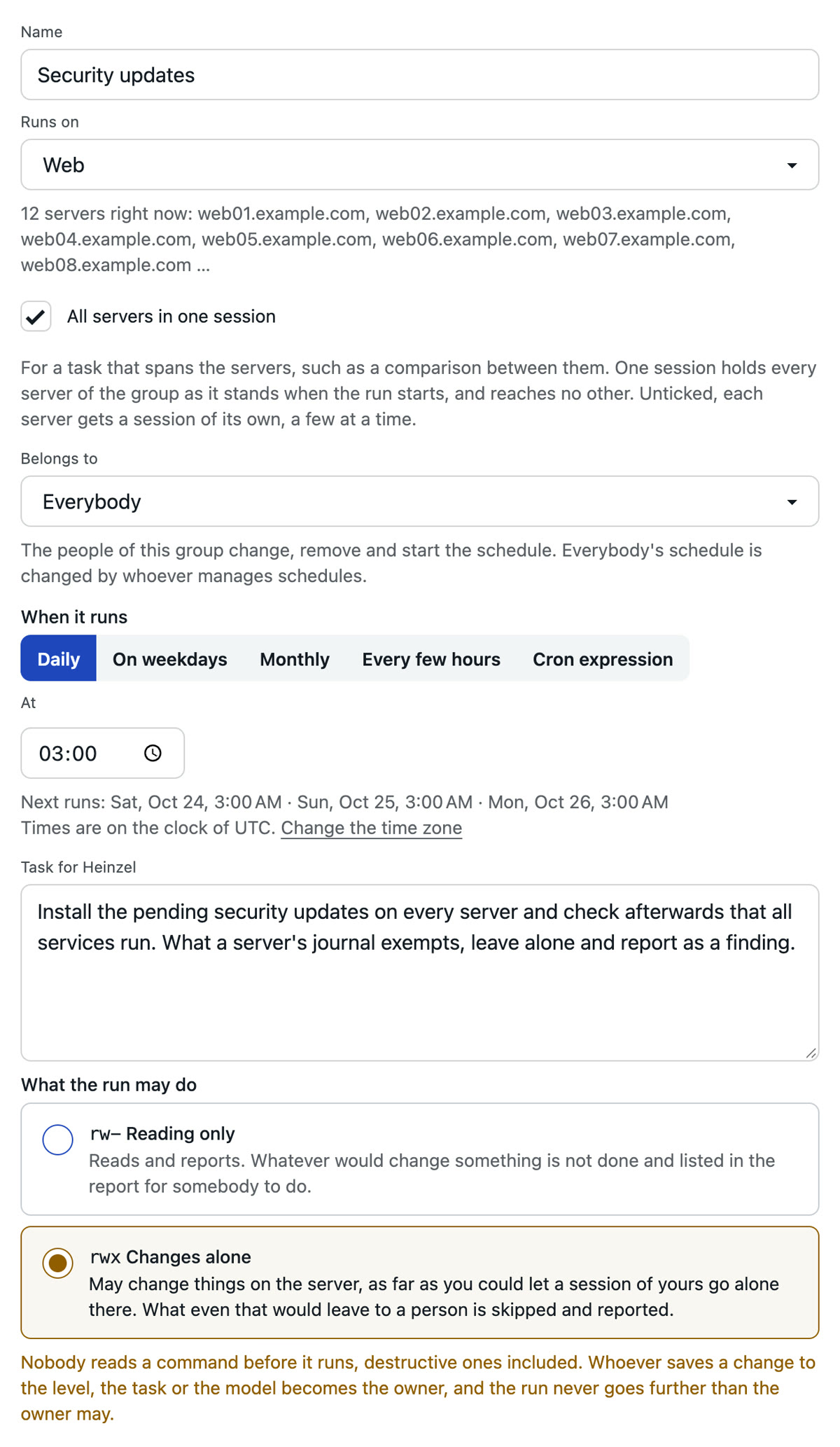
Input: Install the pending security updates on every server and check afterwards that all services run. What a server's journal exempts, leave alone and report as a finding.
Once, during the day. Name, server group, time, the task in your words, the level "Changes alone" and where the report goes. Nothing more.
Step 2: At three Heinzel Pro reads on all twelve
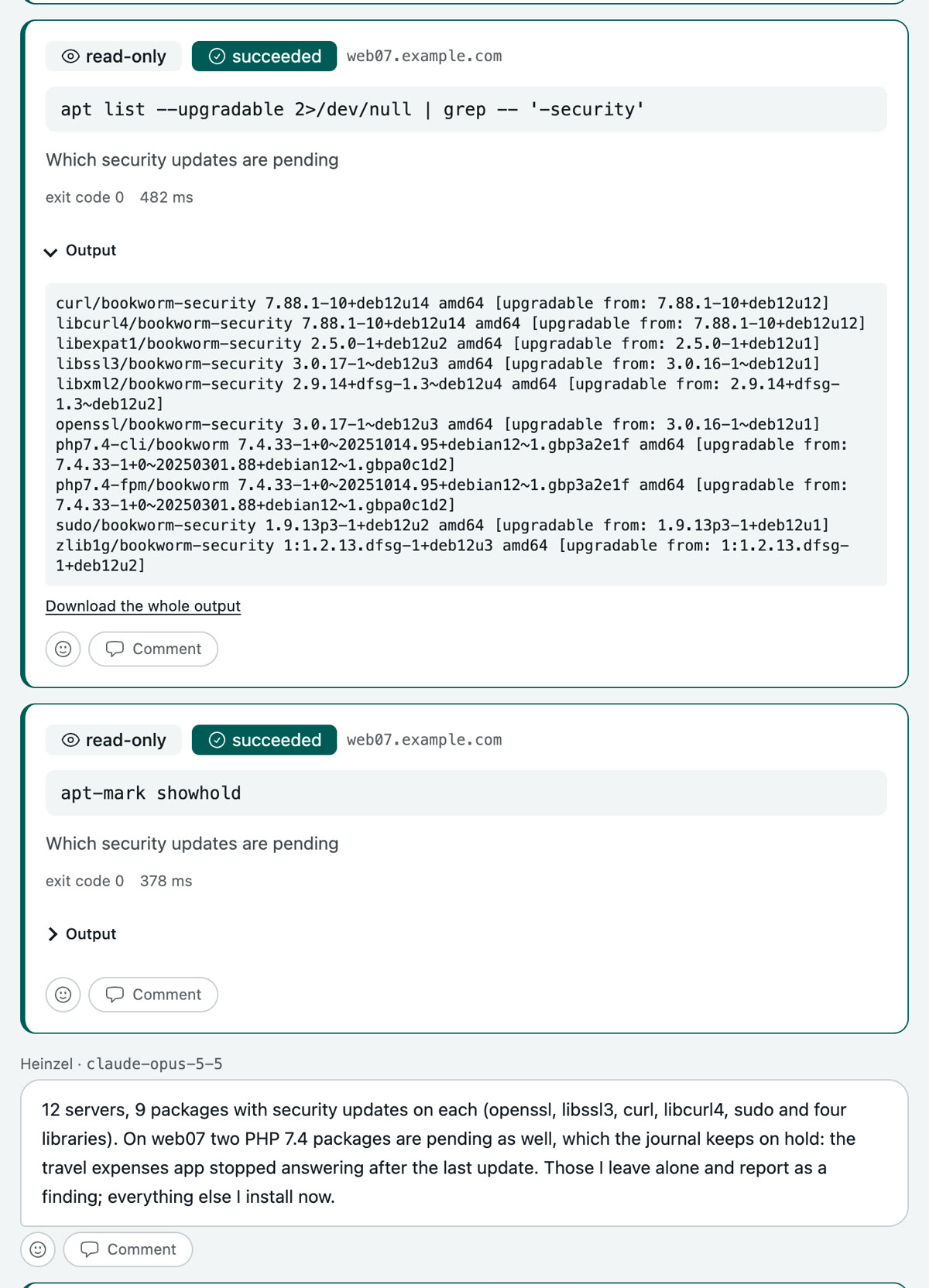
The schedule opens one session over the whole group. Heinzel Pro checks on every server what is pending and reads the server's journal.
On web07 a colleague held back two PHP packages in March because a business application stopped answering after the update. That is in the journal, so Heinzel Pro keeps to it.
Step 3: It installs what it may, and stops where the journal says so
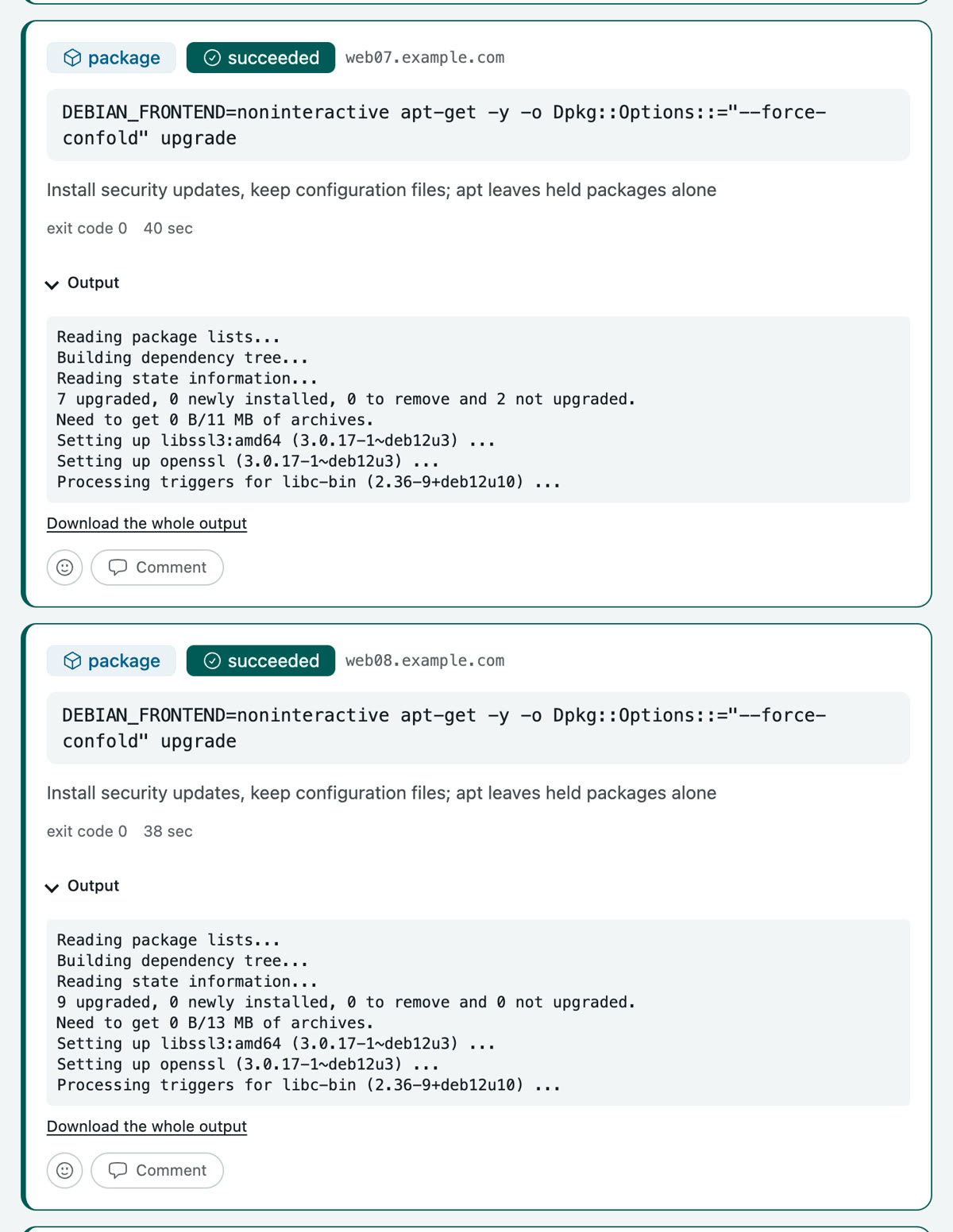
On all twelve servers the updates run through on their own; on web07 the two held packages stay. Then Heinzel Pro checks whether a service failed anywhere.
What stays behind becomes a finding on the list, not a mail at three.
Step 4: In the morning you read the report
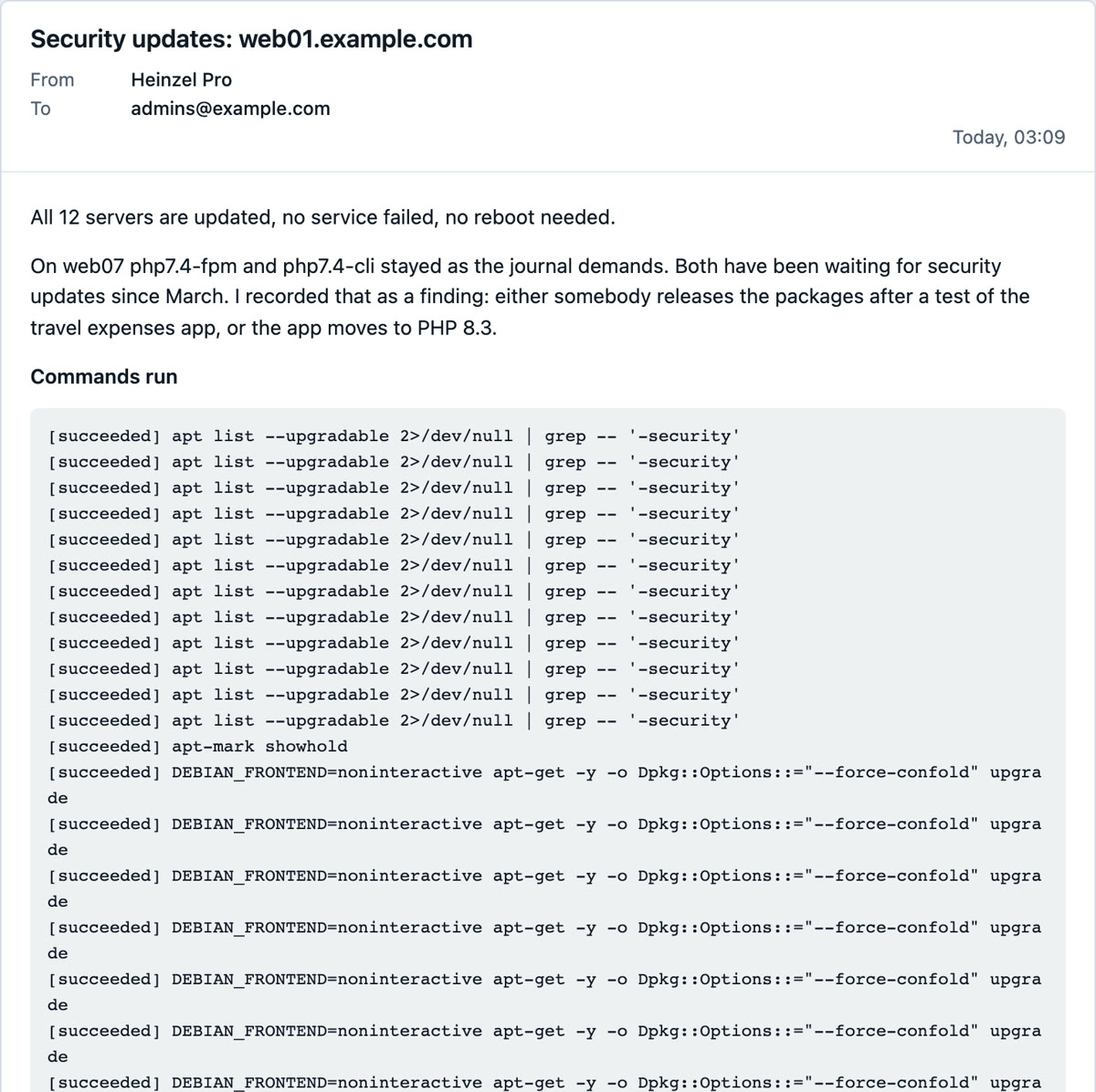
A mail shortly after three, read at eight: twelve servers updated, all services run, one finding on web07. What happens with it is the next example.
Fixing a finding
The nightly run left two security updates on web07 alone because the journal demanded it. In the morning one click turns that into a session: Heinzel Pro reads up, proposes two ways, you decide.
| Task | Two held-back PHP updates on web07 |
| From | The finding of the nightly run |
| Who | You, in the morning |
| Your part | One click, one sentence, one approval |
| Level | rw- Asks before changes |
Step 1: You open the finding
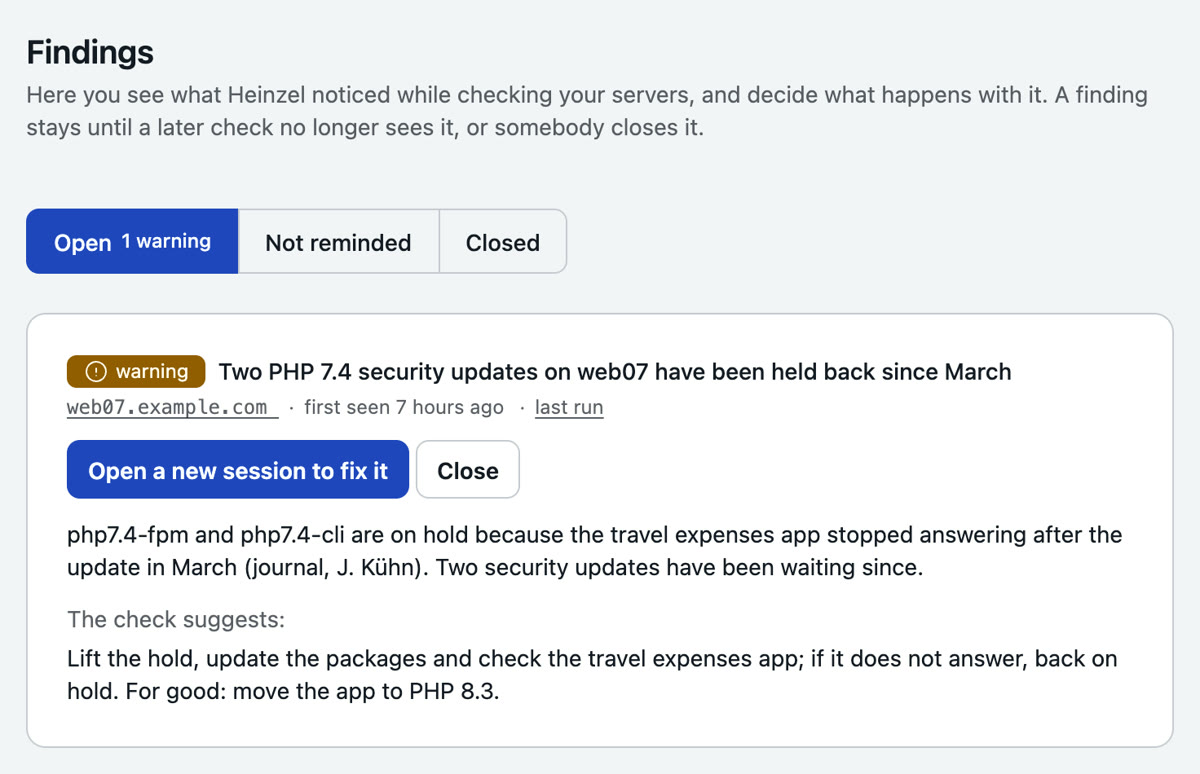
The findings page collects what the nightly runs were not allowed to decide alone, with a severity and a proposal of what to do. One click on "Open a new session to fix it", nothing to type.
Step 2: The session is prepared
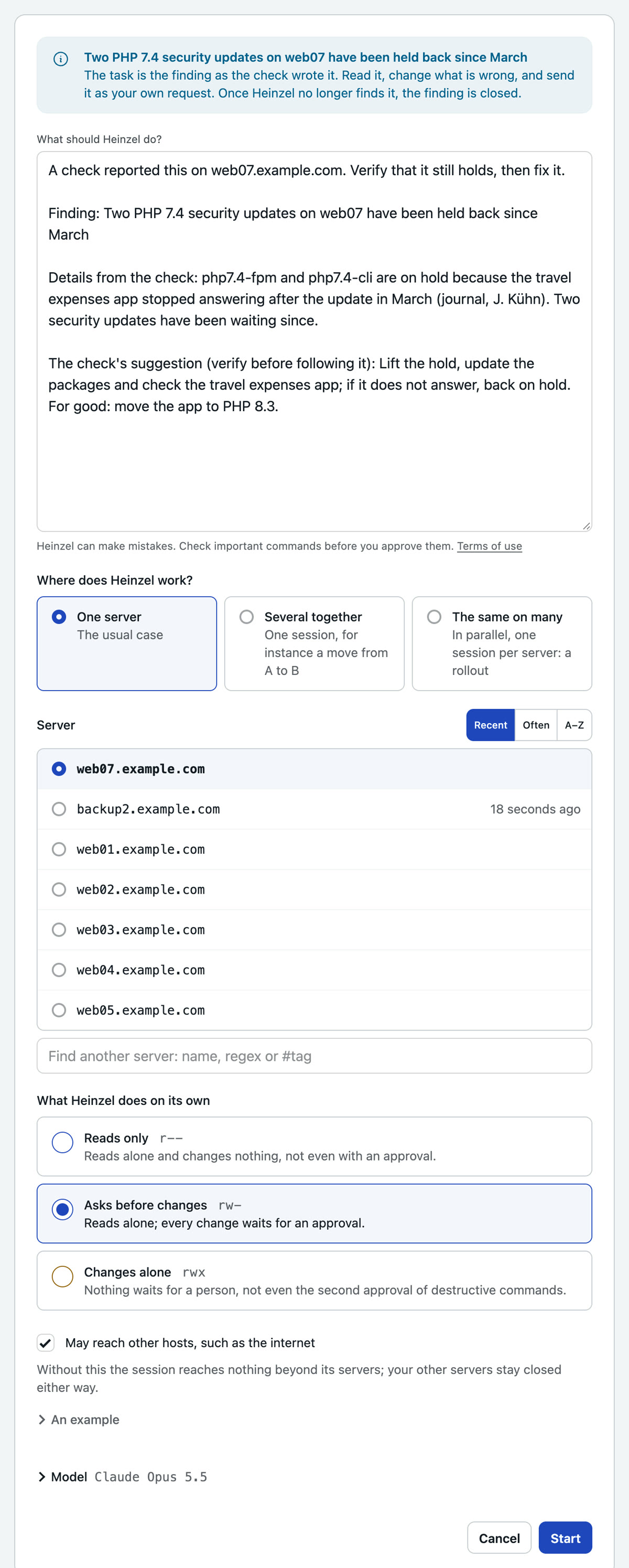
Server, task and the finding are already in place. The level stays at "Asks before changes", because this time a person is to decide. You start.
Step 3: Heinzel Pro reads up and proposes two ways
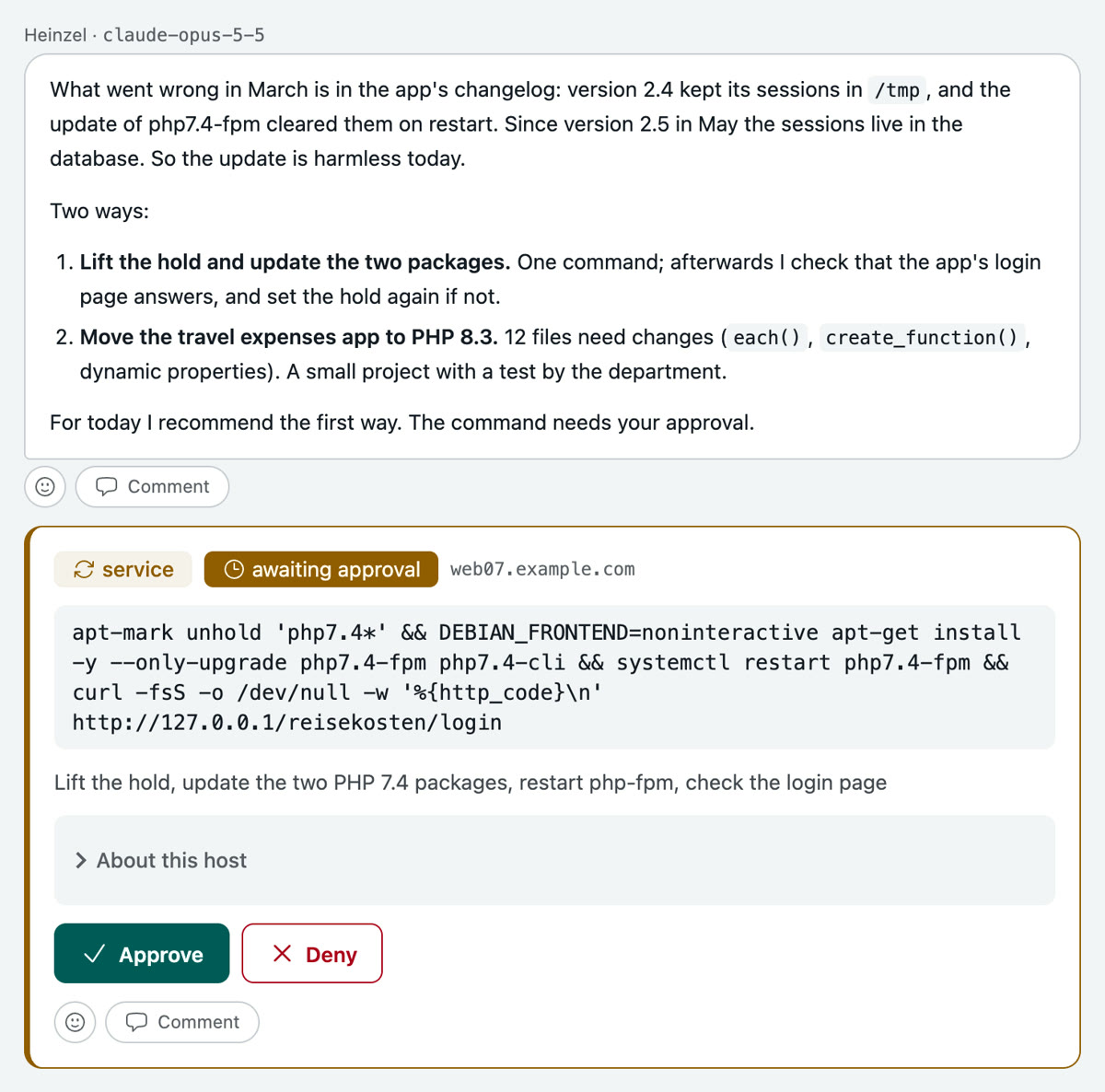
It finds in the application's changelog why the update went wrong in March, and that the reason has been fixed since May. Then two ways: update the two packages today, or move the application to PHP 8.3. It recommends the first and waits.
Step 4: You answer and approve
Input: First way. Please record the second as a finding so we tackle it next month.
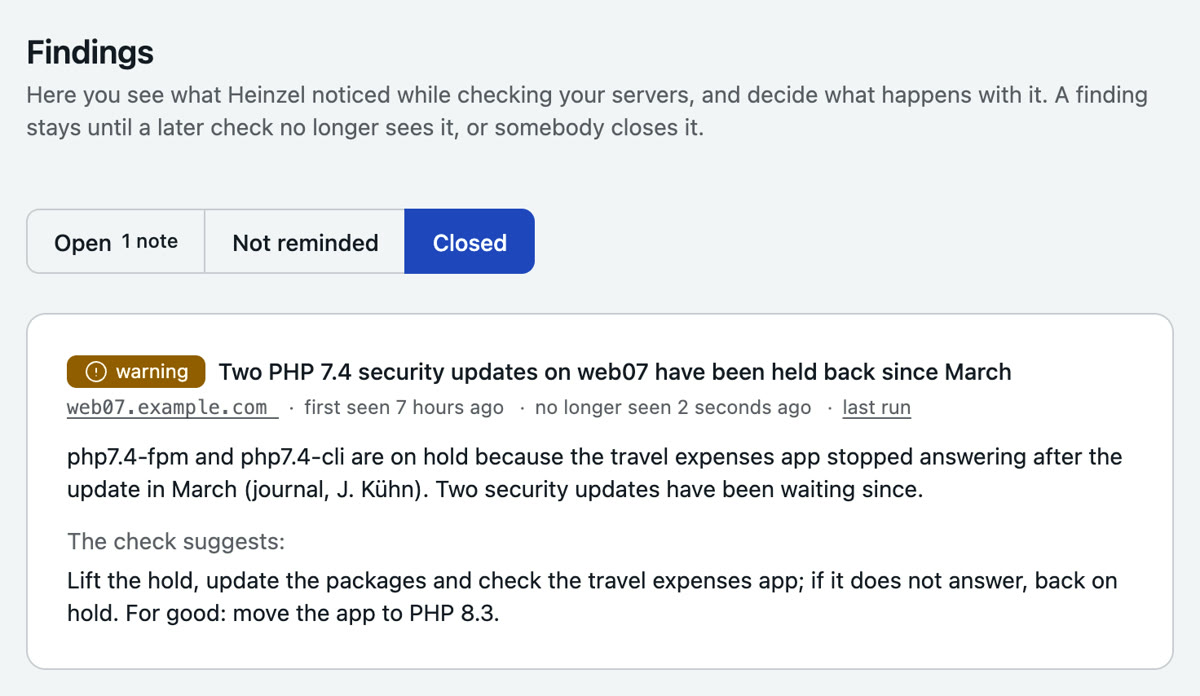
Heinzel Pro updates, restarts the service, checks the application's login page and writes the journal. The night's finding is closed, and the new one stands on the list with your sentence, for next month.
php2shell on 13 servers
Two holes in PHP, published in the afternoon, every web application affected. One sentence from a phone, and Heinzel Pro researches, checks every server and installs the fix: on one first, on all of them after your go.
| Task | Close php2shell on every affected server |
| Who | An admin, from a phone |
| Servers | All 13 of Example Ltd, web01 first |
| Your part | One sentence, two taps on Approve, one go |
| Level | rw- Asks before changes |
Step 1: You describe the task, for every server
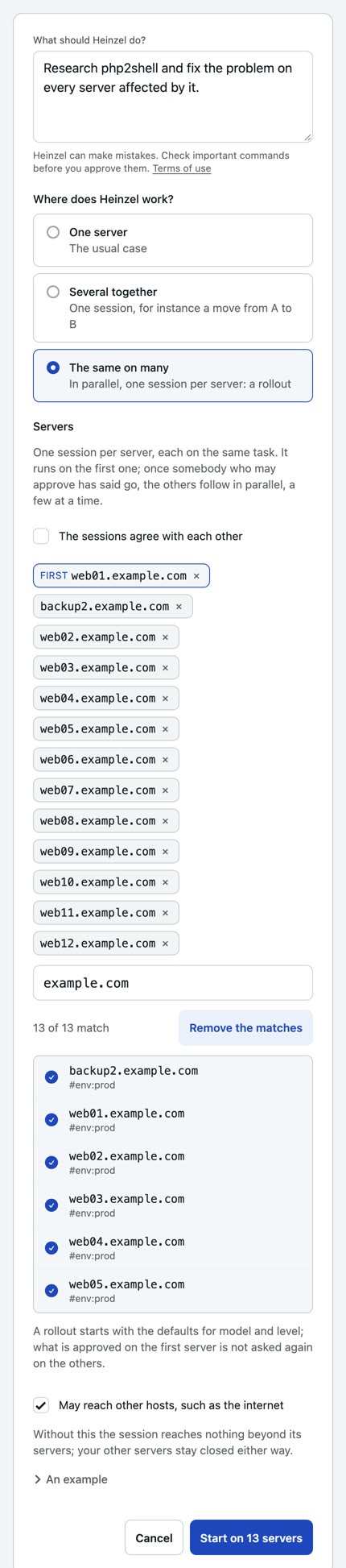
Input: Research php2shell and fix the problem on every server affected by it.
One sentence, the way you would write it to a colleague. "The same on many" makes it a rollout: one session per server, on web01 first, the others after your go. The level stays at "Asks before changes".
Step 2: It researches, and asks even for that
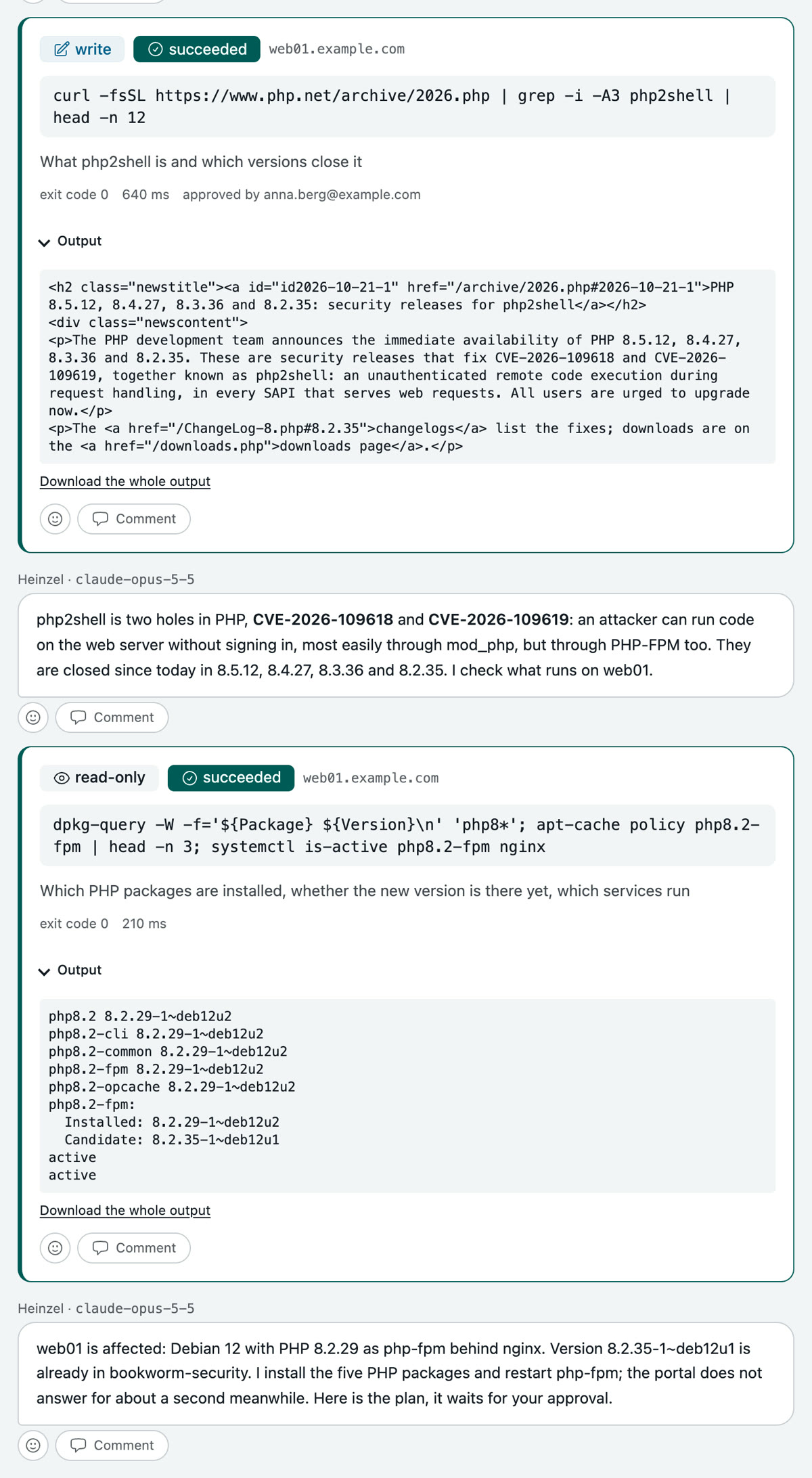
Heinzel Pro wants to read the announcement on php.net. A fetch from the net can send data too, so it waits for your tap. Then it reads on its own: which PHP packages are on web01, whether the new version is in the mirror yet, which services run.
Then it is clear: web01 is affected, PHP 8.2.29 as php-fpm behind nginx, and the fix is ready.
Step 3: You read the plan and approve it
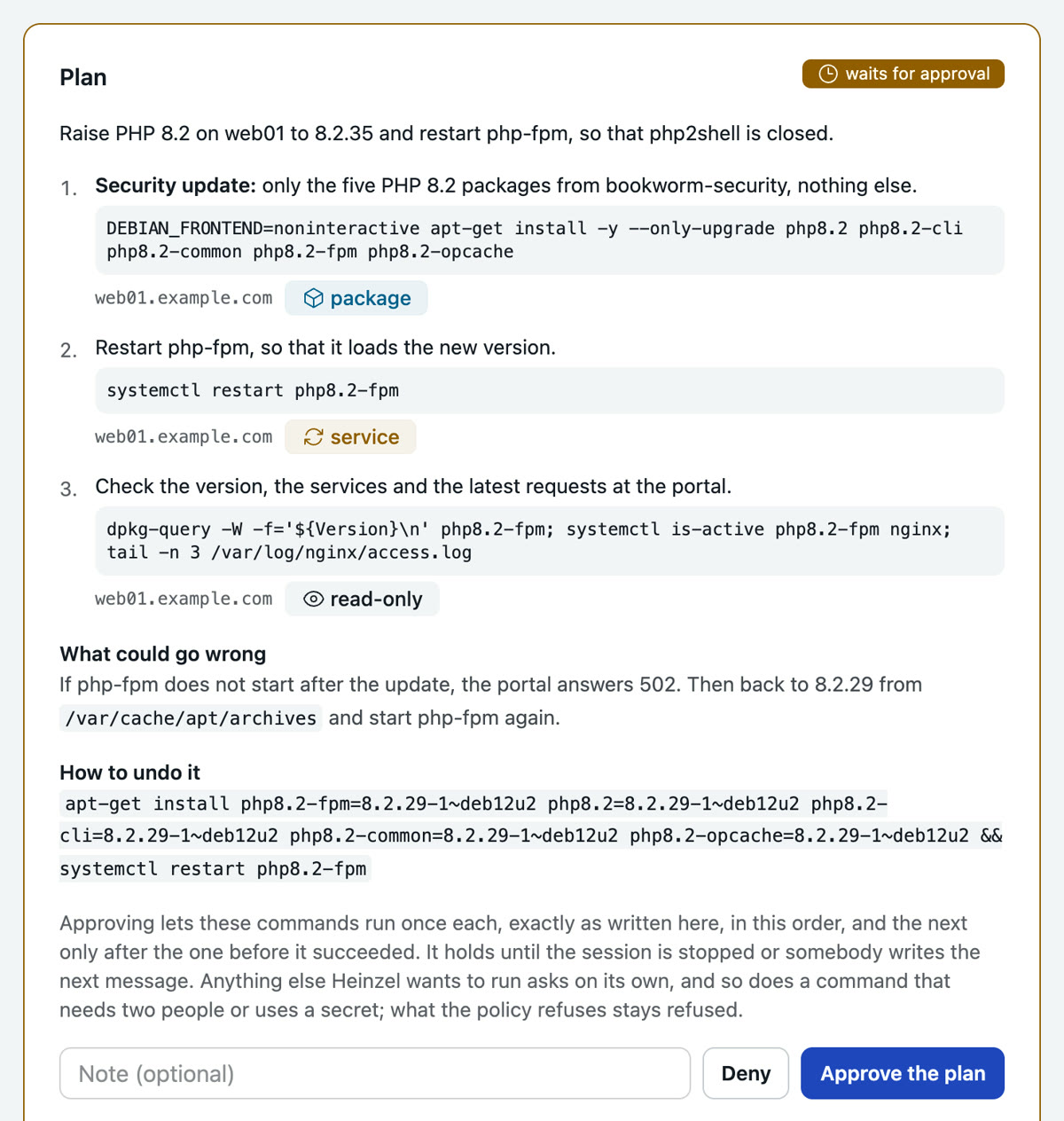
Three steps, each with its command, server and classification: package, service, read-only. With them, what could go wrong and how to undo it. One tap approves all three; they run in this order, each only once the one before succeeded.
Step 4: After your go the other twelve follow
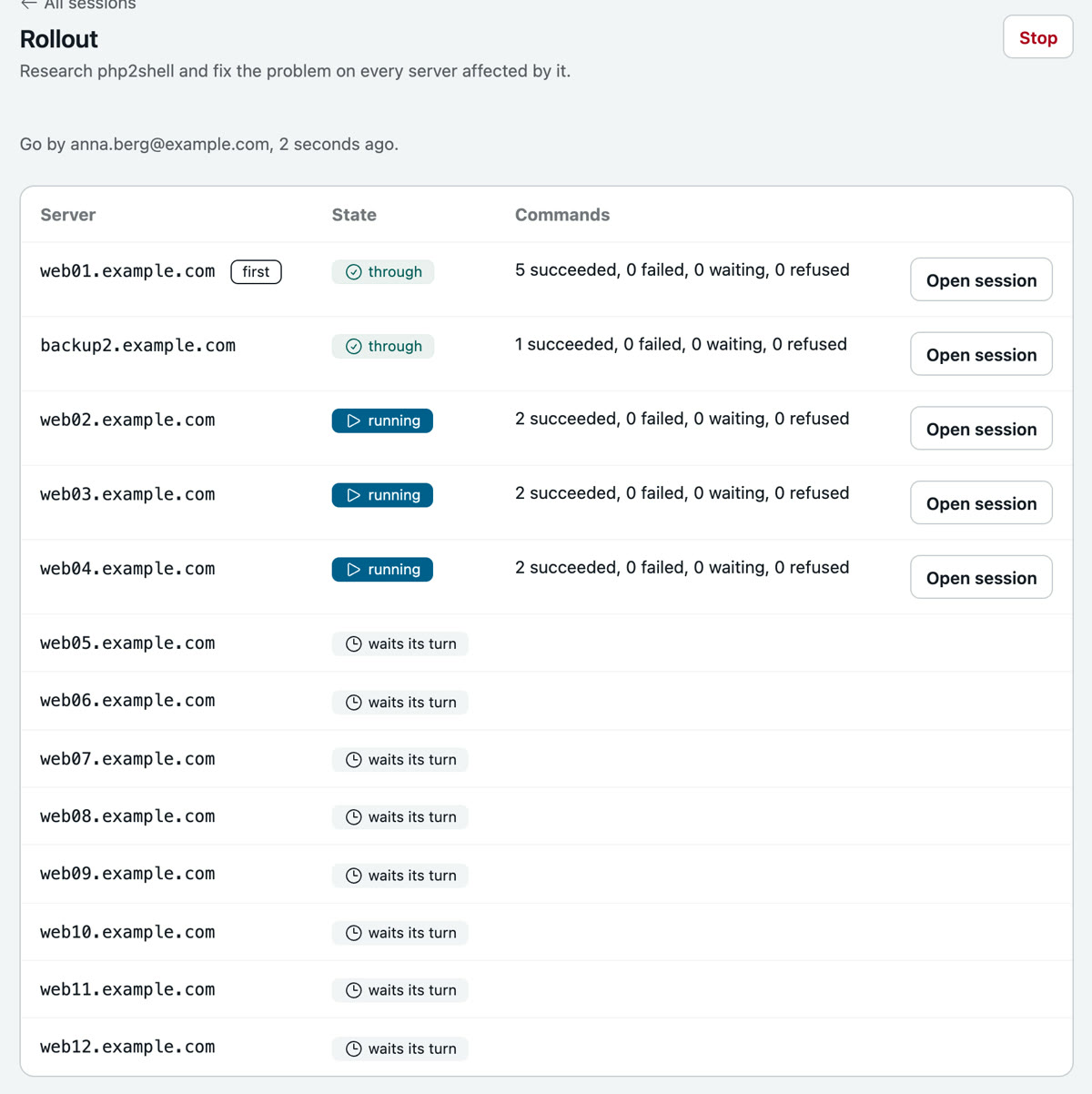
web01 is closed after 24 seconds, the portal answers 200. You say go, and the other servers get a session each, four at a time. What was approved on web01 and succeeded runs there without asking. backup2 has no PHP: its session says so and changes nothing.
A fifth example as a film
The database moves while the website keeps running: 55 seconds on heinzel-pro.de, from a session in Heinzel Pro.